Quarterly Business Review for Meta Ads: Template and Process
Build a structured quarterly business review for Meta Ads with our proven template covering performance analysis, strategic insights, and actionable next steps.
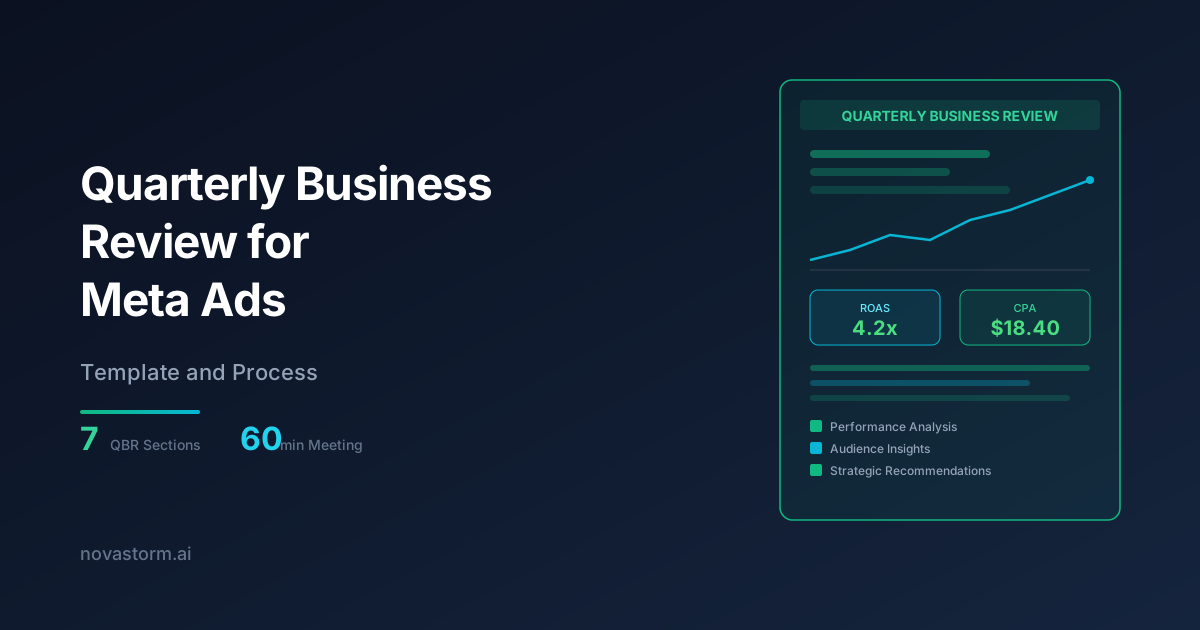
A quarterly business review for Meta Ads is one of the most valuable rituals an advertising team can adopt. It transforms scattered performance data into strategic decisions, aligns stakeholders on priorities, and creates accountability for results. Yet many teams skip this step entirely, relying on ad hoc reporting that fails to capture the full picture.
The difference between teams that consistently improve their Meta Ads performance and those that plateau often comes down to structured review processes. A well-executed quarterly business review for Meta Ads connects tactical campaign metrics to business outcomes, identifies systemic issues before they become expensive problems, and surfaces opportunities that weekly reports miss.
What a Quarterly Business Review for Meta Ads Should Cover
An effective quarterly business review for Meta Ads goes beyond a dashboard walkthrough. It synthesizes data into narrative insights that drive action. The review should answer three fundamental questions: What happened? Why did it happen? What should we do next?
Each section of the review builds on the previous one, creating a logical flow from data to decisions. Resist the temptation to overload the review with every available metric. Focus on the metrics that directly tie to business objectives and strategic priorities.
| QBR Section | Time Allocation | Key Deliverable |
|---|---|---|
| Executive Summary | 5 minutes | One-page performance snapshot |
| Performance Deep Dive | 15 minutes | Channel-level analysis with trends |
| Audience Insights | 10 minutes | Segment performance and opportunities |
| Creative Analysis | 10 minutes | Top/bottom performers with hypotheses |
| Competitive Landscape | 5 minutes | Market shifts and competitor activity |
| Strategic Recommendations | 10 minutes | Prioritized action items for next quarter |
| Q&A and Alignment | 5 minutes | Stakeholder input and sign-off |
Step 1: Preparing the Executive Summary
The executive summary is the most important page of your quarterly business review for Meta Ads. It should communicate the quarter's story in under sixty seconds. Lead with the headline result, whether positive or negative, followed by the key drivers and a forward-looking statement.
Structure the summary around three to five primary KPIs that align with business goals. For ecommerce brands, this typically means revenue, ROAS, CPA, and new customer acquisition. For lead generation, focus on lead volume, cost per lead, and lead quality metrics.
Frame your executive summary around the 'So What?' test. Every data point should answer why it matters to the business. Instead of 'CPM increased 12%,' say 'Rising CPMs reduced our reach efficiency, requiring audience strategy adjustments that are now showing early improvement.'
Step 2: The Performance Deep Dive
The performance deep dive is where you dissect the numbers. Break down Meta Ads performance by campaign objective, funnel stage, and time period. Look for patterns that weekly reports obscure, such as gradual performance shifts, seasonal effects, and compounding issues.
Compare quarter-over-quarter and year-over-year metrics to distinguish between cyclical trends and genuine performance changes. A 10% increase in CPA might be alarming in isolation but expected when compared to the same quarter last year.
- Total spend vs. budget with variance analysis
- ROAS or CPA trends broken down by month and week
- Funnel metrics: impressions, clicks, add-to-carts, purchases
- Platform breakdown: Facebook Feed, Instagram, Audience Network, Messenger
- Device performance: mobile vs. desktop conversion rates
- Day-of-week and time-of-day patterns
Step 3: Audience and Creative Analysis
Audience and creative insights are often the most actionable sections of the quarterly business review for Meta Ads. Analyze which audience segments delivered the strongest results, which ones deteriorated, and where untapped opportunities exist.
Stop wasting ad budget
NovaStorm AI cuts Meta Ads CPA by 40% on average. Start free.
For creative analysis, go beyond simple ranking. Identify the attributes that separate top performers from underperformers. Is it the hook in the first three seconds? The offer framing? The visual style? These insights inform your creative strategy for the next quarter.
| Analysis Dimension | Metrics to Review | Action Items |
|---|---|---|
| Top Audiences | ROAS, CPA, Volume | Scale budget, create lookalikes |
| Declining Audiences | Frequency, CTR trend | Refresh creative or pause |
| New Test Audiences | Initial CPA, engagement | Graduate winners to core |
| Top Creatives | CTR, conversion rate | Iterate with variations |
| Fatigued Creatives | CTR decline, frequency | Replace with new concepts |
| Creative Formats | Performance by type | Prioritize winning formats |
Step 4: Building Strategic Recommendations
Recommendations should flow naturally from the analysis. Each recommendation needs a clear rationale tied to specific data points from the review. Avoid generic advice like 'optimize campaigns.' Instead, provide specific, actionable directives with expected outcomes.
Prioritize recommendations using an impact-effort matrix. High-impact, low-effort items go first. This ensures the team focuses on changes that move the needle without overwhelming resources. Limit the total number of recommendations to five to seven to maintain focus.
- Identify the top three performance drivers to protect and amplify
- Pinpoint the top three performance drags to fix or eliminate
- Define two to three strategic tests for the next quarter
- Specify budget reallocation between campaign types
- Set clear success metrics for each recommendation
The QBR Template: Putting It All Together
A standardized template ensures consistency across quarters and makes trend analysis possible over time. Your quarterly business review for Meta Ads template should be a living document that evolves as your advertising program matures.
Use the same structure every quarter but update the emphasis based on what matters most right now. If creative fatigue was the primary issue, expand that section. If budget allocation drove the biggest results, give it more space.
Create a shared QBR document that accumulates quarter after quarter. This historical record becomes invaluable for new team members, agency transitions, and year-end strategic planning. Include screenshots of key dashboards alongside your narrative analysis.
Common QBR Mistakes to Avoid
Even well-intentioned quarterly reviews can fall flat if they succumb to common pitfalls. The most frequent mistake is turning the QBR into a data dump rather than a strategic conversation. Stakeholders do not need to see every metric. They need to understand what matters and why.
- Presenting data without interpretation or recommended actions
- Focusing only on positive results while glossing over failures
- Comparing metrics without proper context such as seasonality or market changes
- Making the review too long, causing stakeholder fatigue and disengagement
- Failing to document decisions and assign ownership for next steps
- Skipping competitive context that explains external performance factors
The best quarterly business review for Meta Ads is one that leads to clear decisions. Every slide, chart, and data point should serve the goal of making the next quarter better than the last. Build the habit, refine the template, and watch your Meta Ads performance compound over time as strategic clarity replaces reactive management.
Novastorm AI automates Meta Ads routine — from monitoring to optimization. Learn more at novastorm.ai
Disclaimer: This article was generated with the assistance of AI and reviewed by the NovaStorm AI team. While we strive for accuracy, we recommend verifying specific data points and consulting official sources (linked where available) for critical business decisions.
Ready to automate your Meta Ads?
NovaStorm AI takes full responsibility for your campaigns — from monitoring to optimization.
Get Started FreeRelated Articles
Looker Studio and Meta Ads: Building Custom Performance Dashboards
Learn how to build custom Looker Studio dashboards for Meta Ads. Step-by-step guide to connecting data, creating visualizations, and automating performance reports.
Data Visualization for Meta Ads: Charts That Tell a Story
Master data visualization for Meta Ads with chart types that communicate insights instantly. Learn which charts to use for spend, performance, and creative analysis.
Meta Ads Reporting: Building Dashboards That Drive Action
Learn how to build Meta Ads reporting dashboards that drive real action. Discover the metrics, layouts, and automation strategies top advertisers use in 2026.