Meta Advantage Suite: Complete Guide to All Automation Tools
Master every tool in the Meta Advantage Suite. Learn when to enable Advantage Campaign, Creative, Audience, Placements, and Shopping for maximum ad performance.
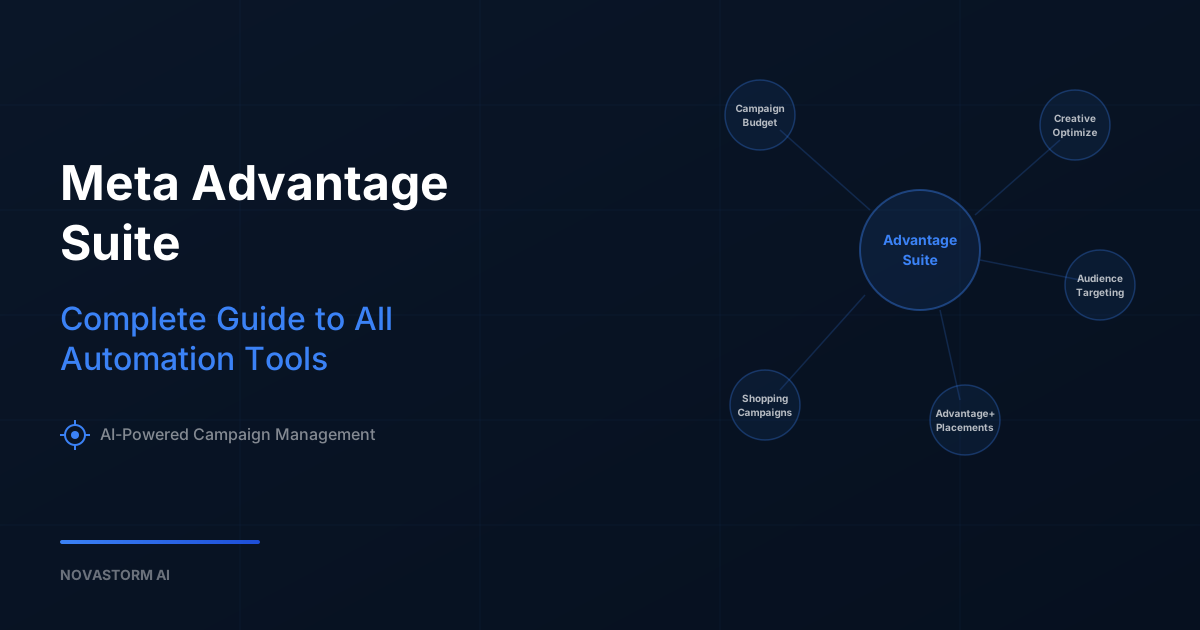
The Meta Advantage Suite is Meta's unified collection of AI-powered automation tools designed to optimize every layer of your advertising campaigns. From audience targeting to creative variations to budget allocation, these tools promise to do the heavy lifting so advertisers can focus on strategy. But knowing when to enable each feature and when to maintain manual control is the difference between leveraging automation effectively and letting the algorithm waste your budget.
Understanding the Meta Advantage Suite Landscape
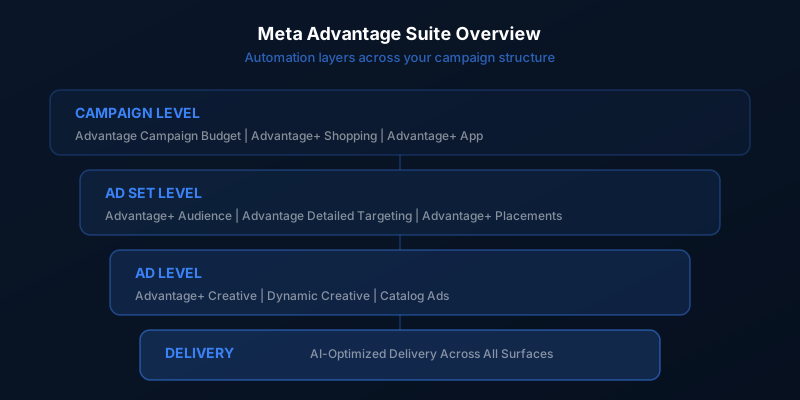
Meta has consolidated its various automation features under the Advantage brand, but the naming can be confusing. There are two tiers: Advantage and Advantage+. The standard Advantage features enhance existing manual settings, while Advantage+ features replace manual controls entirely with fully automated alternatives. Understanding this distinction helps you decide which level of automation is appropriate for each campaign.
| Product | Type | What It Controls | Automation Level |
|---|---|---|---|
| Advantage Campaign Budget | Campaign | Budget distribution across ad sets | Partial - you set total budget, Meta distributes |
| Advantage+ Shopping Campaigns | Campaign | Entire campaign structure for e-commerce | Full - minimal manual controls |
| Advantage+ Audience | Targeting | Audience selection and expansion | Full - replaces detailed targeting |
| Advantage Detailed Targeting | Targeting | Audience expansion beyond your selections | Partial - expands your defined audience |
| Advantage Lookalikes | Targeting | Lookalike audience range expansion | Partial - broadens lookalike percentage |
| Advantage+ Creative | Creative | Ad creative optimization and variations | Full - generates multiple variations |
| Advantage+ Placements | Delivery | Placement selection across Meta surfaces | Full - replaces manual placement selection |
| Advantage+ App Campaigns | Campaign | Entire campaign for app installs | Full - minimal manual controls |
Advantage Campaign Budget
Advantage Campaign Budget, formerly known as Campaign Budget Optimization or CBO, distributes your campaign budget across ad sets based on real-time performance. Instead of setting individual budgets for each ad set, you set one budget at the campaign level and let Meta's algorithm allocate spend to the best-performing ad sets.
This works well when all your ad sets target roughly equal-sized audiences with similar potential. It struggles when audience sizes vary dramatically or when you have specific budget requirements for certain segments. A common pattern is a campaign with one broad prospecting ad set and one narrow retargeting ad set. The algorithm will almost always favor the larger audience, potentially starving your retargeting of budget.
If you use Advantage Campaign Budget, set minimum spend limits on ad sets that need guaranteed delivery. This gives the algorithm flexibility while ensuring critical segments receive adequate budget.
Advantage+ Shopping Campaigns
Advantage+ Shopping Campaigns (ASC) represent Meta's most aggressive automation product. They consolidate prospecting and retargeting into a single campaign, automatically manage audience targeting, and optimize creative delivery. For e-commerce advertisers, ASC has become a significant channel, often delivering strong return on ad spend with minimal management overhead.
The tradeoff is control. ASC provides limited reporting breakdowns, no ability to separate audience segments, and minimal creative controls. You feed in your creative assets and product catalog, set a budget and target geography, and let the algorithm handle the rest. This works remarkably well for brands with strong product-market fit and proven creative, but can be wasteful for brands still testing their messaging or targeting niche audiences.
When to Use ASC
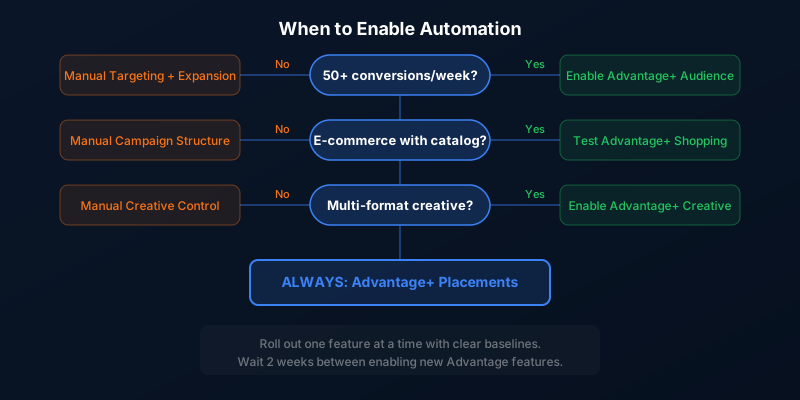
- Your pixel has substantial conversion data, ideally 50 or more conversions per week
- You have a proven catalog of creative assets that already perform well
- Your target market is broad enough for the algorithm to optimize effectively
- You are comfortable with limited visibility into which audiences and placements drive results
- You want to scale quickly without micromanaging campaign structure
Advantage+ Audience and Targeting Tools
Meta offers multiple layers of audience automation. Advantage+ Audience replaces traditional detailed targeting entirely, using your pixel data and creative signals to find the right people automatically. Advantage Detailed Targeting expands beyond your selected interests and behaviors when the algorithm believes it can find conversions outside your defined audience. Advantage Lookalikes broadens your lookalike percentage range.
The shift toward automated audiences reflects a broader industry trend away from interest-based targeting. As privacy regulations tighten and third-party data becomes less reliable, Meta is pushing advertisers to rely on its machine learning rather than manual audience definitions. In many cases, this actually performs better because the algorithm can process signals that advertisers cannot manually define.
Advantage+ Audience uses your existing targeting selections as suggestions rather than constraints. If you input interests like fitness and nutrition, the algorithm uses those as starting points but will expand to anyone it predicts will convert, regardless of declared interests.
Advantage+ Creative Optimization
Stop wasting ad budget
NovaStorm AI cuts Meta Ads CPA by 40% on average. Start free.
Advantage+ Creative is one of the most impactful automation features. It takes your uploaded creative assets and generates multiple variations by adjusting brightness, contrast, aspect ratio, text overlays, and music. It can also apply enhancements like adding visual labels, adjusting composition for different placements, and testing multiple text combinations.
The creative variations are served to different audience segments based on predicted engagement. This means your ad might look slightly different to a 25-year-old on Instagram Stories than to a 45-year-old in Facebook News Feed. While this personalization can improve performance, it also means you have less control over exactly how your brand appears across different contexts.
Advantage+ Placements
Advantage+ Placements distributes your ads across all available Meta surfaces including Facebook Feed, Instagram Feed, Stories, Reels, Audience Network, and Messenger. The algorithm allocates impressions to whichever placements deliver the best results for your objective at the lowest cost.
This is one of the least controversial automation features because it genuinely works well in most situations. Manual placement selection often leads to missing underpriced inventory or over-investing in expensive placements. The main exception is when you have creative specifically designed for one format, like vertical video for Stories, and do not want it reformatted for other placements.
The Control vs. Automation Tradeoff
The fundamental question with every Advantage feature is how much control you are willing to trade for potentially better performance. Automation works best when the algorithm has enough data to learn and optimize. For large accounts with significant conversion volume, enabling more automation typically improves performance. For smaller accounts with limited data, the algorithm may not have enough signal to make good decisions.
Recommended Setup by Account Size
| Feature | Small Accounts (under 50 conv/week) | Medium Accounts (50-200 conv/week) | Large Accounts (200+ conv/week) |
|---|---|---|---|
| Campaign Budget | Manual ad set budgets | Test Advantage Campaign Budget | Enable Advantage Campaign Budget |
| Audience | Manual targeting with Advantage expansion | Mix of manual and Advantage+ Audience | Advantage+ Audience for most campaigns |
| Placements | Advantage+ Placements (recommended for all) | Advantage+ Placements | Advantage+ Placements |
| Creative | Manual with limited enhancements | Enable Advantage+ Creative | Full Advantage+ Creative |
| Shopping Campaigns | Manual campaigns | Test ASC alongside manual | ASC as primary with manual for testing |
Performance Impact and Expectations
Meta regularly publishes case studies showing significant performance improvements from Advantage features, often citing 20 to 30 percent reductions in cost per acquisition. Real-world results vary considerably. Some advertisers see dramatic improvements, while others see minimal change or even performance degradation.
The key factors that determine whether automation helps are data volume, creative quality, and product-market fit. If you have strong fundamentals, automation amplifies your strengths. If your fundamentals are weak, automation just spends your budget faster on what does not work.
Never enable multiple Advantage features simultaneously. Roll them out one at a time with clear performance baselines so you can isolate the impact of each change. Enable Advantage+ Placements first, then test creative automation, then audience features.
Maintaining Strategic Control
Even with full automation enabled, advertisers retain control over the most important strategic decisions: budget, creative assets, product catalog, and optimization objectives. These inputs are what the algorithm optimizes around, so improving them directly improves automated performance.
Focus your manual effort on creating diverse, high-quality creative assets. The more raw material you give the Advantage+ Creative engine, the more effectively it can personalize delivery. Similarly, invest in your product catalog quality and website conversion experience, since these downstream factors determine whether the traffic automation generates actually converts.
The advertisers who get the most from Meta's automation suite are those who view it as a tool to execute their strategy at scale, not a replacement for having a strategy in the first place. Define your goals, create compelling creative, and let the algorithms handle the tactical execution.
Novastorm AI automates Meta Ads routine — from monitoring to optimization. Learn more at novastorm.ai
Disclaimer: This article was generated with the assistance of AI and reviewed by the NovaStorm AI team. While we strive for accuracy, we recommend verifying specific data points and consulting official sources (linked where available) for critical business decisions.
Ready to automate your Meta Ads?
NovaStorm AI takes full responsibility for your campaigns — from monitoring to optimization.
Get Started FreeRelated Articles
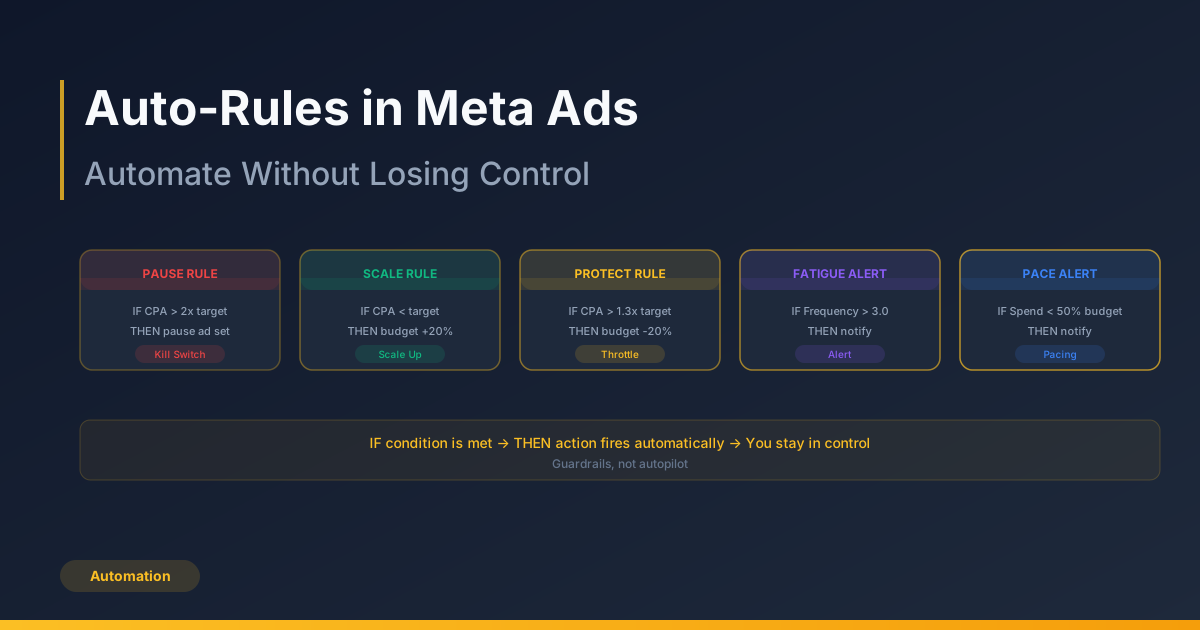
Auto-Rules in Meta Ads: Automate Without Losing Control
Set up auto-rules in Meta Ads to automate budget scaling, pausing underperformers, and notifications. Learn the top 5 rules every account needs and common pitfalls to avoid.
Bid Strategies Explained: Lowest Cost vs Cost Cap vs Bid Cap
Understand Meta Ads bid strategies — Lowest Cost, Cost Cap, and Bid Cap. Learn when to use each, how they interact with budget, and common mistakes to avoid.

The Psychology of Color in Meta Ad Creative
Explore the psychology of color in Meta Ad creative. Learn how color associations, contrast, CTA button colors, and cultural meanings impact ad performance.