Meta Ads Not Spending Budget: Diagnosis and Fix Guide
Discover why your Meta Ads are not spending budget and how to fix delivery issues. Step-by-step diagnosis guide covering bid strategy, audience, and creative fixes.
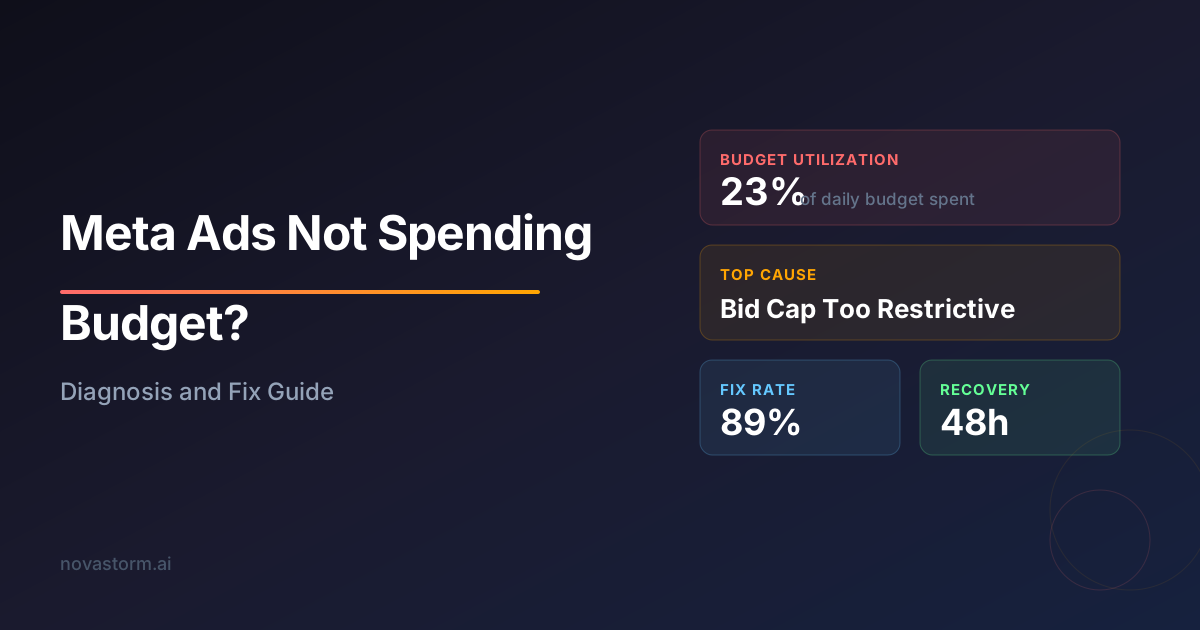
Few things frustrate advertisers more than setting a budget on Meta Ads and watching it sit unspent. You have allocated funds, configured your campaign, and launched — yet the delivery dashboard barely moves. When Meta Ads are not spending budget, revenue stalls and opportunity cost accumulates by the hour.
This guide walks through every major reason your Meta Ads budget remains unspent and provides actionable fixes you can implement immediately. Whether you are managing a small daily budget or a six-figure monthly spend, the diagnostic framework below applies universally.
Why Meta Ads Not Spending Budget Is a Common Issue
Meta's auction system is complex. Your ad competes against thousands of others for the same audience, and the algorithm weighs bid amount, estimated action rates, and ad quality in real time. When any of these signals underperform, Meta throttles or completely halts delivery.
The challenge is that Meta rarely tells you exactly why delivery stalled. You will see vague statuses like 'Active' or 'Learning Limited' without a clear root cause. That is why a systematic diagnosis matters more than random fixes.
Primary Causes of Budget Under-Delivery
| Cause | Likelihood | Impact | Fix Difficulty |
|---|---|---|---|
| Bid cap set too low | High | Severe | Easy |
| Audience too narrow | High | Severe | Medium |
| Low ad quality score | Medium | High | Medium |
| Account spending limit active | Medium | Severe | Easy |
| Campaign budget optimization conflict | Medium | Moderate | Medium |
| Creative fatigue / low engagement | High | High | Medium |
| Scheduling restrictions | Low | Moderate | Easy |
| Payment method issues | Low | Severe | Easy |
Step 1: Check Account-Level Blockers
Before diving into campaign settings, verify that your account does not have a spending limit. Navigate to Payment Settings and look for an 'Account Spending Limit' field. If a cap exists and you have already reached it, Meta stops all delivery without a prominent warning.
Also confirm your payment method is valid and not expired. A declined card silently halts all campaigns. Meta does not always send a notification when payment fails, so check the Billing section manually.
Account spending limits persist even if you increase individual campaign budgets. Always check account-level limits first — this is the number one overlooked cause when Meta Ads are not spending budget.
Step 2: Evaluate Your Bid Strategy
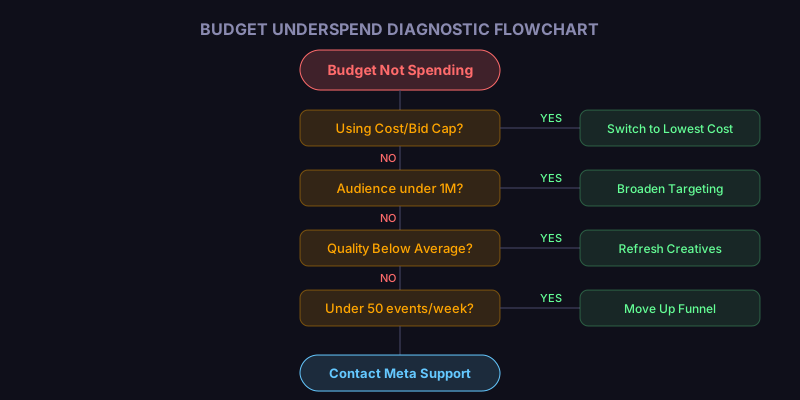
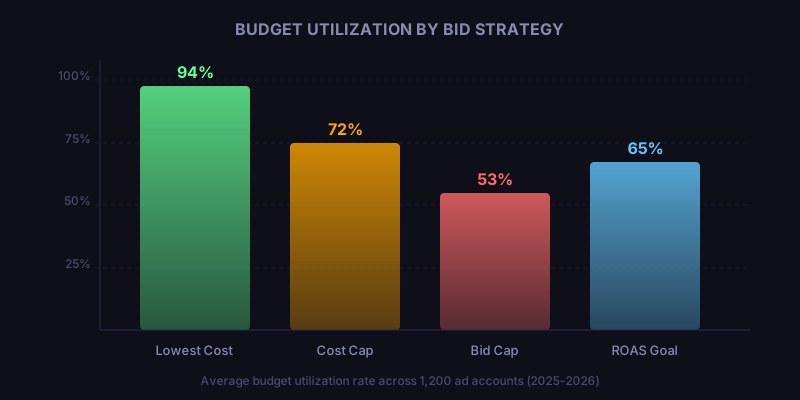
Bid strategy is the most frequent culprit behind Meta Ads not spending budget at the campaign level. If you use a bid cap or cost cap, and the cap is below what the market requires, Meta will refuse to enter auctions on your behalf.
- Open Ads Manager and select the underperforming campaign.
- Check whether you are using Lowest Cost, Cost Cap, or Bid Cap strategy.
- If using Cost Cap or Bid Cap, temporarily switch to Lowest Cost to test whether spend resumes.
- If delivery restarts on Lowest Cost, your cap was too aggressive — raise it by 20-30% incrementally.
- Monitor for 24-48 hours before making further adjustments.
Lowest Cost (automatic bidding) gives Meta maximum flexibility to find auctions it can win. It is the recommended starting point for diagnosing budget delivery issues.
Step 3: Expand Your Audience Targeting
An audience that is too small or too heavily targeted by competitors will starve your campaign of impressions. Meta needs a sufficient pool of users to serve ads efficiently, especially during the learning phase.
Check the Audience Definition meter when editing your ad set. If it shows 'Narrow,' you need to broaden your targeting. Consider expanding by adding related interests, increasing the age range, or switching to Advantage+ audience to let Meta's algorithm find the best users.
| Audience Size | Recommended Daily Budget | Expected Delivery |
|---|---|---|
| Under 100K | $5-15 | Slow, inconsistent |
| 100K-500K | $15-50 | Moderate |
| 500K-2M | $50-200 | Good |
| 2M-10M | $200-1,000 | Strong |
| Over 10M | $1,000+ | Excellent |
Stop wasting ad budget
NovaStorm AI cuts Meta Ads CPA by 40% on average. Start free.
Step 4: Audit Creative Quality and Relevance
Meta assigns a quality ranking and engagement rate ranking to every ad. Low scores in either category reduce your competitiveness in the auction, which directly impacts whether your Meta Ads budget gets spent.
Review the 'Ad Relevance Diagnostics' column in Ads Manager. If your quality ranking is 'Below Average,' your creative needs improvement. Common fixes include stronger hooks in the first three seconds of video, clearer value propositions in static images, and copy that directly addresses user pain points.
- Replace low-performing creatives with new variations weekly.
- Test at least 3-5 ad variations per ad set.
- Use user-generated content style — it consistently outperforms polished brand creative.
- Ensure the landing page matches the ad promise to maintain post-click quality signals.
A single high-performing creative can consume 80% of your budget while other variants starve. Use Creative Reporting breakdowns to identify which assets Meta favors and pause underperformers.
Step 5: Resolve Learning Phase and CBO Conflicts
Campaign Budget Optimization (CBO) distributes budget across ad sets automatically. If one ad set vastly outperforms others, Meta may funnel nearly all budget there — leaving other ad sets appearing to not spend.
If your goal is even distribution, set minimum spend limits on each ad set within the CBO campaign. Alternatively, split ad sets into individual ABO (Ad Set Budget Optimization) campaigns for full control over each budget.
During the learning phase, Meta needs approximately 50 optimization events per week per ad set. If your budget or audience cannot support that volume, the ad set enters 'Learning Limited' status, and delivery becomes unpredictable. Consider consolidating ad sets to concentrate volume.
Automated Monitoring Prevents Budget Waste
Manually checking each campaign for delivery issues is unsustainable at scale. When you manage dozens of campaigns, a single under-delivering ad set can go unnoticed for days, wasting potential reach and revenue.
Automated monitoring tools detect when Meta Ads are not spending budget within hours rather than days. Real-time alerts allow you to diagnose the issue immediately — whether it is a bid cap problem, audience exhaustion, or a payment failure — and apply the fix before significant budget goes unspent.
Platforms like Novastorm AI continuously track delivery pacing, flag anomalies in spend rate, and recommend corrective actions based on historical campaign data. This proactive approach eliminates the guesswork and reduces the time between problem detection and resolution.
Quick Diagnostic Checklist
- Verify no account spending limit is active.
- Confirm payment method is valid and not expired.
- Check bid strategy — switch to Lowest Cost as a test.
- Ensure audience size exceeds 500K for meaningful delivery.
- Review ad relevance diagnostics for quality signals.
- Check for CBO budget distribution imbalances.
- Verify ad scheduling is not restricting delivery windows.
- Look for overlapping audiences across ad sets causing self-competition.
When Meta Ads are not spending budget, the fix is almost always one of the eight items above. Work through them systematically rather than changing multiple variables at once. Isolated changes make it clear what resolved the issue, giving you a playbook for future campaigns.
Novastorm AI automates Meta Ads routine — from monitoring to optimization. Learn more at novastorm.ai
Disclaimer: This article was generated with the assistance of AI and reviewed by the NovaStorm AI team. While we strive for accuracy, we recommend verifying specific data points and consulting official sources (linked where available) for critical business decisions.
Ready to automate your Meta Ads?
NovaStorm AI takes full responsibility for your campaigns — from monitoring to optimization.
Get Started FreeRelated Articles
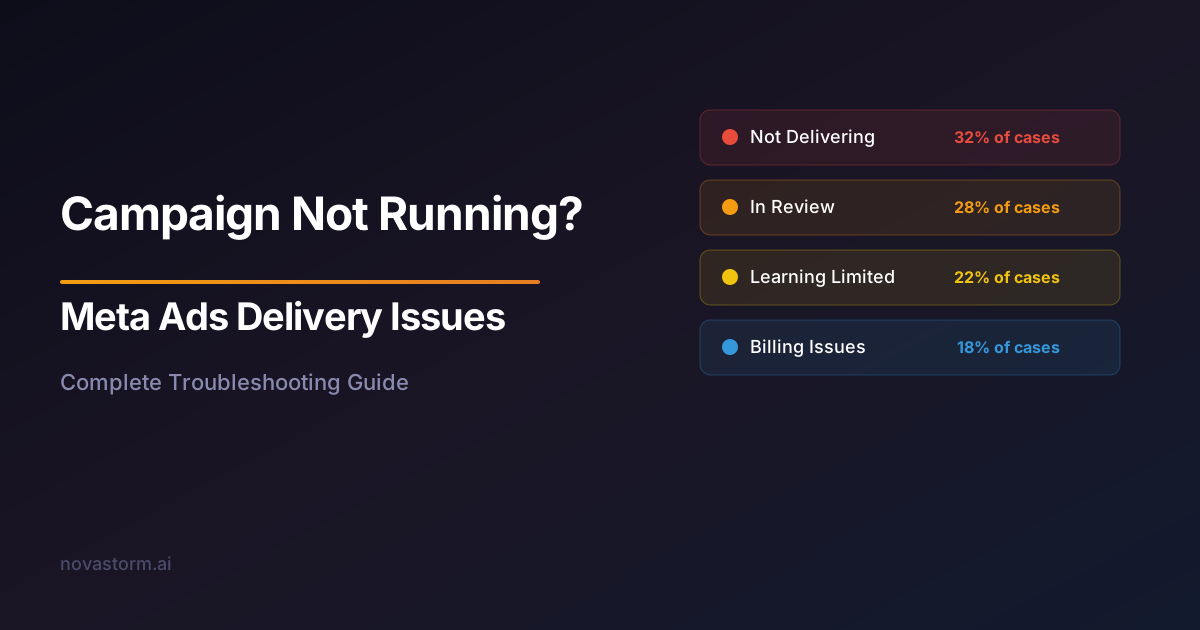
Meta Ads Delivery Issues: Why Your Campaign Is Not Running
Fix Meta Ads delivery issues with this comprehensive guide. Learn why your campaign is not running and how to resolve approval, billing, and targeting problems.
High CPA Troubleshooting on Meta Ads: Step-by-Step Diagnosis
Reduce high CPA on Meta Ads with this step-by-step troubleshooting guide. Diagnose creative, targeting, funnel, and bidding issues driving up acquisition costs.
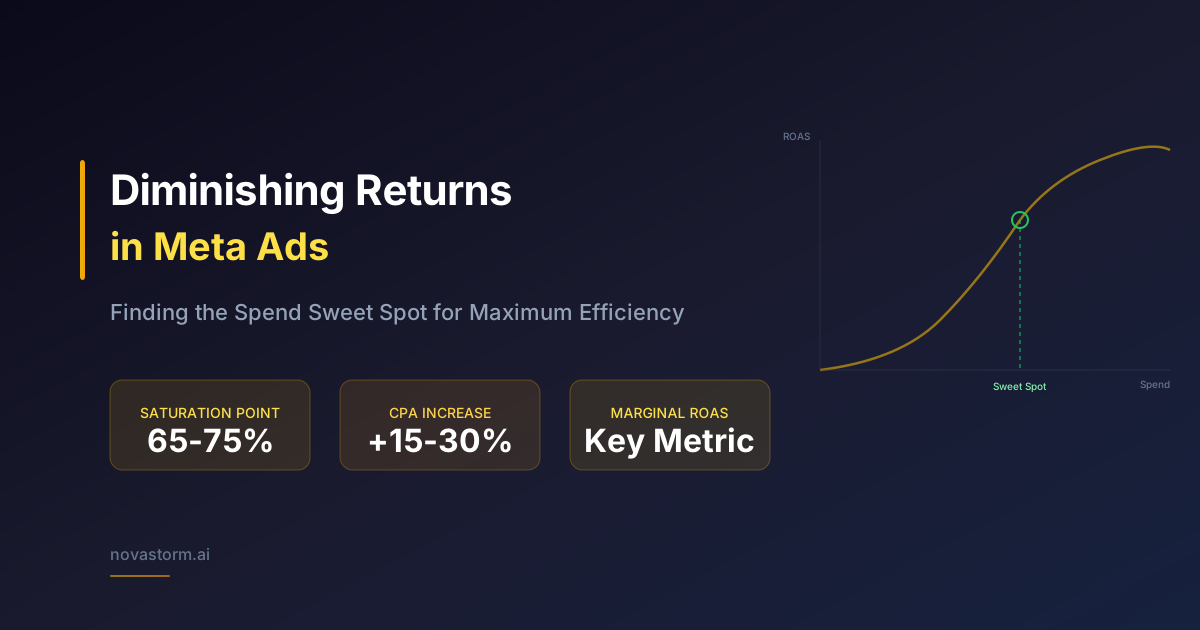
Diminishing Returns in Meta Ads: Finding the Spend Sweet Spot
Learn how to identify diminishing returns in Meta Ads and find the optimal spend level where your budget delivers maximum efficiency without wasting ad dollars.