Meta Ads Delivery Issues: Why Your Campaign Is Not Running
Fix Meta Ads delivery issues with this comprehensive guide. Learn why your campaign is not running and how to resolve approval, billing, and targeting problems.
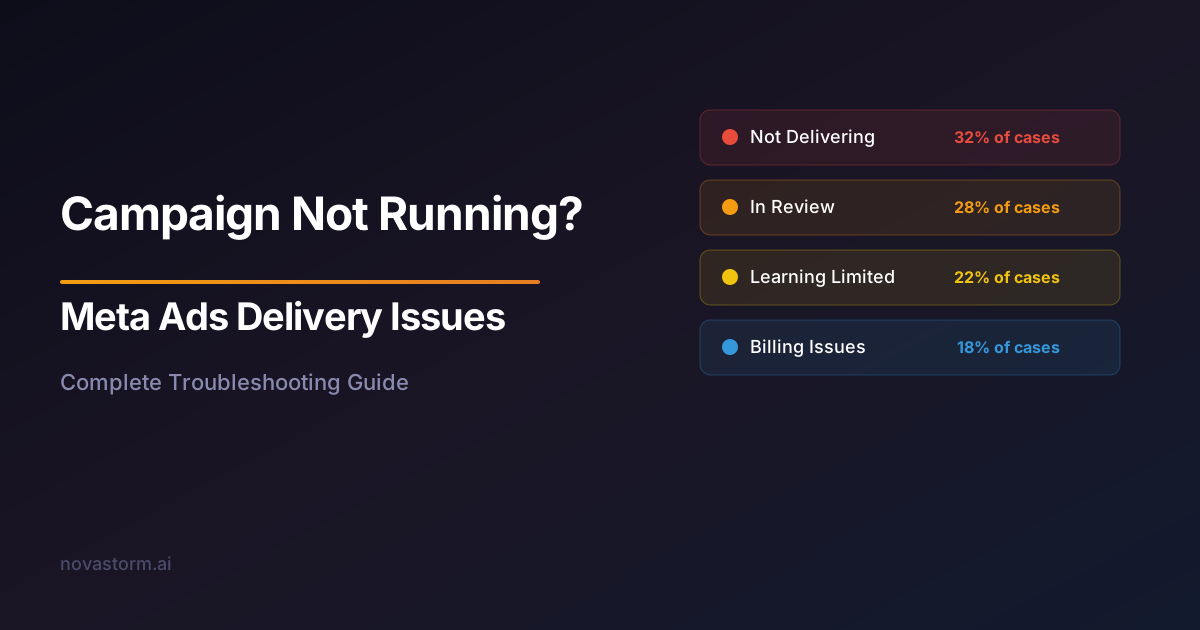
You hit publish on your campaign. The status shows Active. But minutes turn into hours with zero impressions, zero reach, and zero spend. Meta Ads delivery issues are among the most confusing problems on the platform because the system often shows no clear error message.
When Meta Ads delivery issues strike, the silence is deafening. No error codes, no notifications, just a campaign that sits idle while your launch window closes. This guide covers every reason a campaign can stall and the exact steps to get it running.
The Delivery Status Hierarchy: What Each Status Means
Meta uses multiple status labels that can be confusing. Understanding the hierarchy is essential before diagnosing Meta Ads delivery issues.
| Status | Meaning | Action Required |
|---|---|---|
| Active | Campaign is eligible to run | Check ad set and ad level statuses |
| In Review | Awaiting policy review | Wait 24 hours, then appeal if stuck |
| Not Delivering | Something is blocking delivery | Check ad set diagnostics |
| Learning | Algorithm gathering data | Avoid edits for 7 days |
| Learning Limited | Not enough events to optimize | Increase budget or broaden audience |
| Rejected | Policy violation detected | Review violation and edit or appeal |
| Scheduled | Start date is in the future | Verify schedule settings |
Cause 1: Ad Review and Policy Holds
The most common cause of Meta Ads delivery issues is the ad review process. Every ad must pass automated and sometimes manual review before it can serve impressions. This process typically takes under 24 hours, but during peak periods or for flagged accounts, it can take 48-72 hours.
If your ad has been in review for more than 24 hours, check for these triggers: restricted content categories like health, finance, or political topics; landing pages that are slow or unreachable; ad copy that triggers automated policy flags; and new accounts without spending history.
Duplicate a stalled ad and resubmit it as a new ad within the same ad set. This re-triggers the review process and often resolves review queue delays without any content changes.
Cause 2: Billing and Payment Method Failures
A failed payment method silently blocks all delivery across your entire account. Meta does not always send a notification when a card is declined or a payment threshold is not met. Check Billing in Business Settings for any outstanding balances or declined transactions.
- Verify your primary payment method has not expired
- Check for declined transactions in the billing section
- Ensure your spending limit has not been reached
- Add a backup payment method to prevent future disruptions
- Review whether your account has an outstanding balance from a previous billing cycle
Cause 3: Targeting and Audience Configuration Errors
Meta Ads delivery issues often originate from targeting configurations that produce an audience too small to serve. Stacking multiple detailed targeting parameters with AND logic, applying heavy exclusions, and restricting to narrow geographic areas can all reduce your audience below the minimum threshold.
Custom audiences that have expired, are too small (under 1,000 people), or have not finished processing will also block delivery. Lookalike audiences based on tiny seed lists may take 24-48 hours to populate before they can be targeted.
| Targeting Issue | Symptom | Resolution |
|---|---|---|
| Audience too small | Zero impressions | Broaden age range, locations, or interests |
| Custom audience expired | Not Delivering status | Re-upload or recreate the audience |
| Lookalike still processing | Delayed start | Wait 24-48 hours for population |
| Conflicting exclusions | Minimal reach | Review exclusion overlap |
| Age/gender too narrow | Low delivery | Expand demographic parameters |
Stop wasting ad budget
NovaStorm AI cuts Meta Ads CPA by 40% on average. Start free.
Cause 4: Campaign Structure and Budget Conflicts
When using Campaign Budget Optimization, Meta distributes spend across ad sets based on performance potential. If one ad set has significantly better performance signals, other ad sets may receive zero budget. This is not a bug but expected behavior that can look like a delivery failure.
Similarly, ad set minimum spend limits that conflict with the campaign budget, overlapping ad sets that compete for the same audience, and frequency caps that are too restrictive can all create delivery bottlenecks.
If you set a $50 campaign budget with 5 ad sets, each requiring $20 minimum spend, the math does not work. Meta will stall delivery rather than exceed the campaign budget. Always ensure minimum spend limits sum to less than the total campaign budget.
Cause 5: Account-Level Restrictions and Penalties
Meta applies account-level restrictions for policy violations, unusual spending patterns, and security concerns. These restrictions may throttle delivery across all campaigns without a clear per-campaign error message.
Check Account Quality in Business Settings for any active restrictions. Common triggers include rapid spending increases on new accounts, multiple ad rejections within a short window, landing pages flagged for malicious content, and activity from unusual geographic locations.
- Navigate to Account Quality in Meta Business Suite
- Review any active restrictions or warnings
- Check for pending identity verification requirements
- Verify domain ownership in Business Settings
- Review policy violation history for patterns
- Submit appeals for any incorrect restrictions
Quick Resolution Checklist for Stalled Campaigns
When you encounter Meta Ads delivery issues, work through this checklist systematically. Most delivery problems resolve within the first four checks.
- Verify payment method is active and billing is current
- Check ad review status at the ad level, not campaign level
- Confirm audience size exceeds 50,000 for the selected budget
- Review Account Quality for restrictions or pending verifications
- Ensure campaign, ad set, and ad are all toggled to Active
- Verify schedule has not expired or has a future start date
- Check if spending limit has been reached in account settings
- Test landing page accessibility from different devices and locations
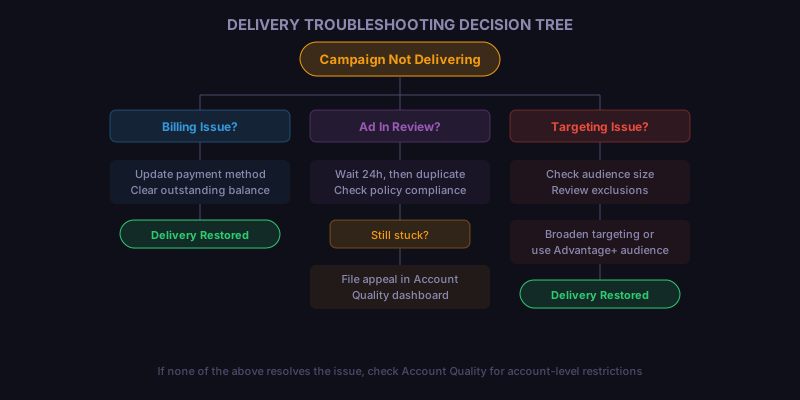
Using this decision tree, you can identify the category of your delivery issue within minutes. Each branch leads to a specific set of resolution steps rather than generic advice.
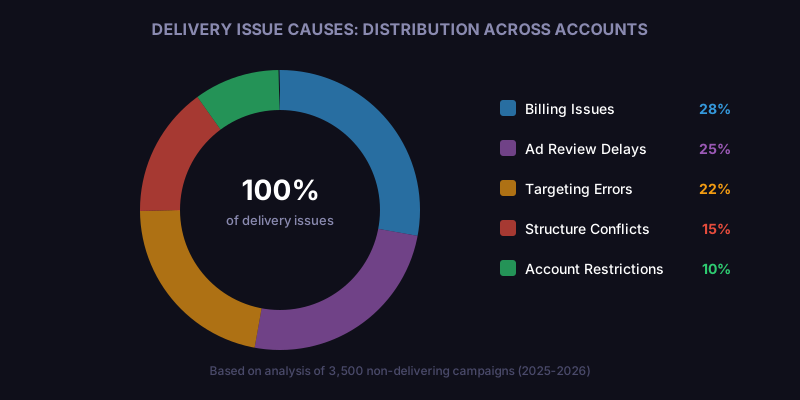
As the data shows, billing and review issues account for over half of all Meta Ads delivery issues. These are also the fastest to resolve, often requiring just a payment update or ad resubmission. Structural and targeting issues take longer but have the most lasting impact on campaign performance.
Novastorm AI automates Meta Ads routine — from monitoring to optimization. Learn more at novastorm.ai
Disclaimer: This article was generated with the assistance of AI and reviewed by the NovaStorm AI team. While we strive for accuracy, we recommend verifying specific data points and consulting official sources (linked where available) for critical business decisions.
Ready to automate your Meta Ads?
NovaStorm AI takes full responsibility for your campaigns — from monitoring to optimization.
Get Started FreeRelated Articles
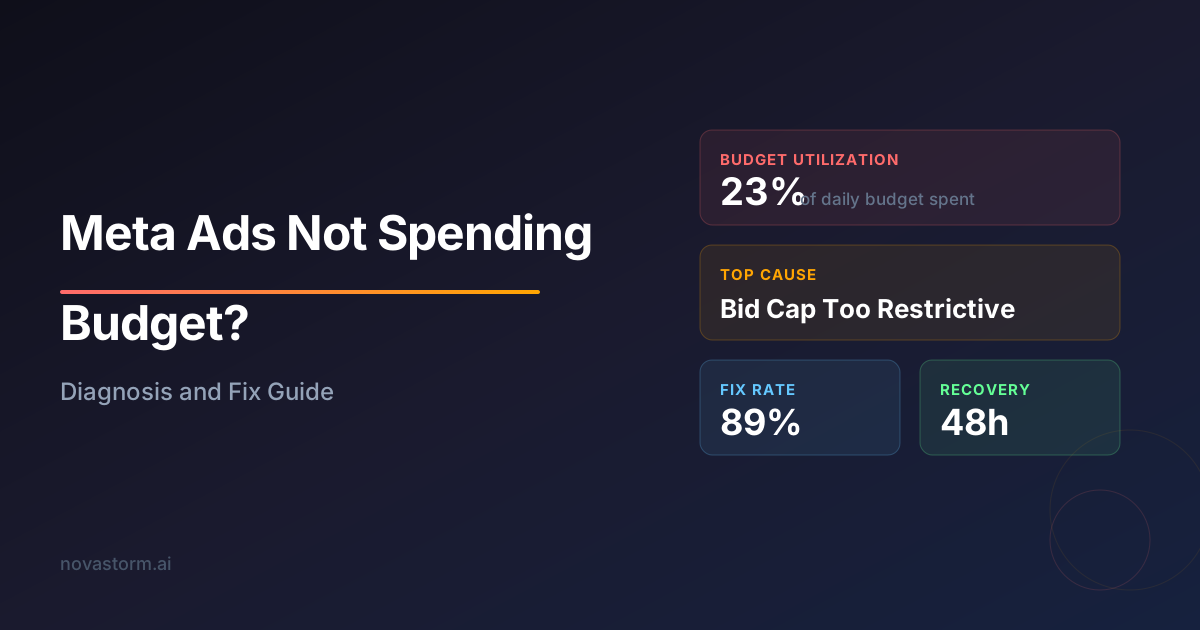
Meta Ads Not Spending Budget: Diagnosis and Fix Guide
Discover why your Meta Ads are not spending budget and how to fix delivery issues. Step-by-step diagnosis guide covering bid strategy, audience, and creative fixes.

AI Automation vs Manual Meta Ads Management: Which Approach Wins?
Comparing AI-automated Meta Ads management against manual approaches. See where automation excels, where human oversight matters, and how to combine both.
Campaign Naming Conventions for Meta Ads: Organize at Scale
Master campaign naming conventions for Meta Ads to organize at scale. Structured naming taxonomy for campaigns, ad sets, and ads with real-world examples.