Dark Posts Explained: What They Are and Why Every Advertiser Uses Them
Dark posts explained in full detail. Learn what unpublished posts are, how they power A/B testing, accumulate social proof, and why every Meta advertiser relies on them.
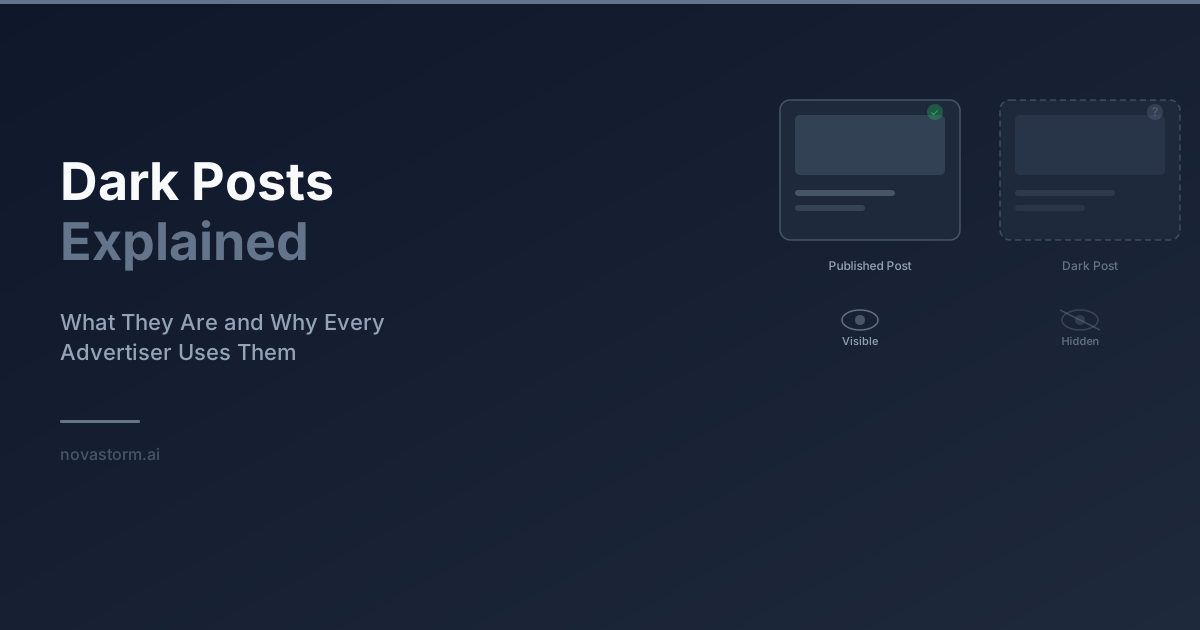
Dark posts explained simply: they are ads that do not appear on your Facebook page or Instagram profile timeline. Also known as unpublished posts, they exist only in the ad ecosystem and are visible exclusively to the audiences you target. Every serious Meta advertiser uses them, and once you understand why, you will never run ads any other way.
What Are Dark Posts Explained in Plain Terms
When you create an ad in Meta Ads Manager, you have two choices. You can boost an existing post from your page, or you can create a new ad that never appears on your page. The second option is a dark post. The term sounds mysterious, but the concept is simple. It is an ad-only piece of content that your page followers never see organically. Only the targeted audience sees it in their feed.
Meta officially calls them unpublished page posts or ad-only posts. The industry coined the term dark posts because they live in the dark, invisible to anyone browsing your page directly. Despite the name, there is nothing shady about them. They are a standard feature of every advertising platform and the backbone of professional media buying.
Why Dark Posts Exist
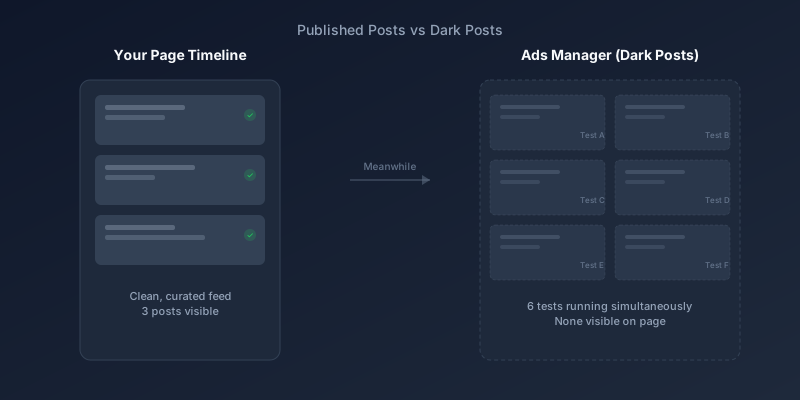
Imagine you are testing 20 different ad variations to find the one that performs best. If every variation appeared on your page, your timeline would be an incoherent mess of conflicting messages, multiple offers, and repetitive content. Your followers would be confused, and your brand would look disorganized.
Dark posts solve this by separating your advertising content from your organic content. Your page stays clean and curated while your ad account runs dozens or even hundreds of creative tests behind the scenes. This separation is essential for any brand that takes both organic social media and paid advertising seriously.
A/B Testing Without Cluttering Your Feed
The primary use case for dark posts is creative testing at scale. Professional media buyers routinely test five to ten new ad variations per week. Each variation might have different headlines, images, calls to action, or audience-specific messaging. Dark posts allow you to run all of these tests simultaneously without any of them appearing on your public page.
This is particularly important for brands running multiple promotions or targeting different customer segments. You might have one ad offering 20% off for new customers and another ad pushing a loyalty reward for returning buyers. Having both appear on your page would create confusion. With dark posts, each audience sees only the message designed for them.
- Test multiple headlines without cluttering your page timeline
- Run segment-specific offers that only the target audience sees
- Experiment with different visual styles for different demographics
- Test controversial or edgy creative without brand risk on your public profile
- Run geo-specific promotions invisible to other markets
Social Proof Accumulation Strategy
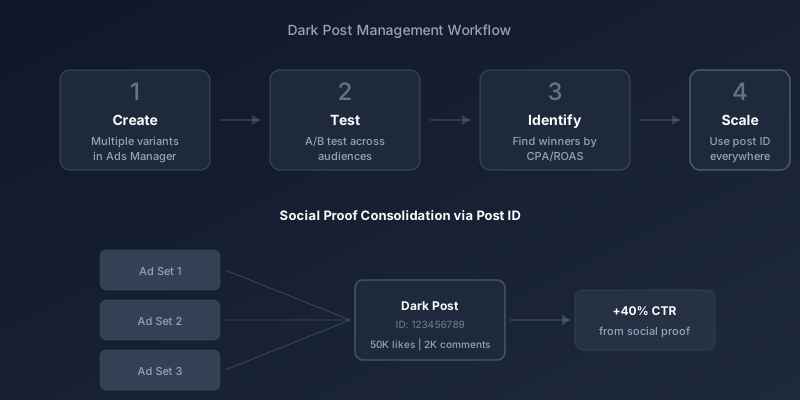
Social proof is one of the most powerful forces in advertising, and dark posts are the key to accumulating it strategically. When you create a dark post and use its post ID across multiple ad sets and campaigns, all the likes, comments, and shares aggregate onto a single post. This means an ad that has been running for three months might accumulate 50,000 likes and 2,000 comments, making every new viewer more likely to engage and convert.
To reuse a dark post across campaigns, find its post ID in Ads Manager. When creating a new ad, select 'Use existing post' and enter the ID. All engagement carries over, giving your new campaign an immediate credibility boost.
Without dark posts, every time you duplicate an ad set or create a new campaign, Meta generates a fresh post with zero engagement. Your audience sees an ad with no social proof, which dramatically reduces trust and click-through rates. The post ID method ensures you never start from zero.
| Approach | Social Proof | Feed Clutter | Testing Flexibility |
|---|---|---|---|
| Boosted page posts | Visible on page | High clutter | Very limited |
| Dark posts (unique per ad set) | Split across posts | No clutter | Full flexibility |
| Dark posts (shared post ID) | Consolidated | No clutter | Full flexibility |
Stop wasting ad budget
NovaStorm AI cuts Meta Ads CPA by 40% on average. Start free.
Managing Dark Posts at Scale
When you run dozens of dark posts, organization becomes critical. Meta does not make it easy to manage them natively. The Page Posts section in Business Suite shows all your unpublished posts, but the interface is clunky and the search functionality is limited. Professional advertisers typically track their dark posts in spreadsheets or project management tools.
A solid naming convention is essential. Include the date, target audience, creative variant, and offer in each dark post name. For example, a name like 2026-02-23_Prospecting_VideoA_20Off immediately tells you everything about that post. This discipline saves hours when you need to find a specific post ID months later.
- Create a tracking spreadsheet with columns for post ID, date, audience, creative, offer, and status
- Use consistent naming conventions across all dark posts
- Archive underperforming dark posts monthly to keep your workspace clean
- Tag high-performing dark posts for reuse in future campaigns
- Review social proof metrics on evergreen dark posts weekly
Creative Strategy Implications
Dark posts fundamentally change how you approach creative strategy. Because there is no penalty for creating multiple variations, you can be more experimental. Test bold claims, unconventional visuals, and niche messaging without worrying about how it looks on your page. This freedom is what separates amateur advertisers from professionals.
The best practice is to create a creative testing framework. Allocate a small percentage of your budget, typically 10-20%, to testing new dark posts every week. The winners graduate to your scaling campaigns. The losers get archived. This systematic approach ensures your creative never goes stale and your performance continually improves.
The average lifespan of a winning Meta ad creative is 2-4 weeks before performance declines due to audience fatigue. Dark posts allow you to have a constant pipeline of fresh creative in testing, so you always have a replacement ready when your current winner fatigues.
Dark Posts and Transparency
A common concern is whether dark posts are deceptive. They are not. Meta requires all ads, including dark posts, to be visible in the Ad Library. Anyone can search the Ad Library and see every active ad from any page, including dark posts. The transparency is total. Dark posts are simply an organizational tool, not a way to hide advertising from the public.
Getting Started with Dark Posts
If you have been boosting page posts exclusively, transitioning to dark posts is straightforward. Go to Ads Manager, create a new campaign, and when you reach the ad level, select Create Ad instead of Use Existing Post. That ad is now a dark post. It will never appear on your page, and you have complete freedom to customize it for the specific audience and objective of that campaign.
Start with a simple test: create three dark post variations of your best-performing boosted post. Change one element in each, such as the headline, image, or CTA. Run them for a week against the same audience. You will likely find that at least one dark post variation outperforms the original. That is the power of systematic testing, enabled by dark posts.
Dark posts are not a secret weapon. They are a fundamental tool that every competent advertiser uses daily. The sooner you incorporate them into your workflow, the faster you will improve your creative testing velocity, protect your brand page aesthetics, and accumulate the social proof that drives conversions.
Novastorm AI automates Meta Ads routine — from monitoring to optimization. Learn more at novastorm.ai
Disclaimer: This article was generated with the assistance of AI and reviewed by the NovaStorm AI team. While we strive for accuracy, we recommend verifying specific data points and consulting official sources (linked where available) for critical business decisions.
Ready to automate your Meta Ads?
NovaStorm AI takes full responsibility for your campaigns — from monitoring to optimization.
Get Started FreeRelated Articles
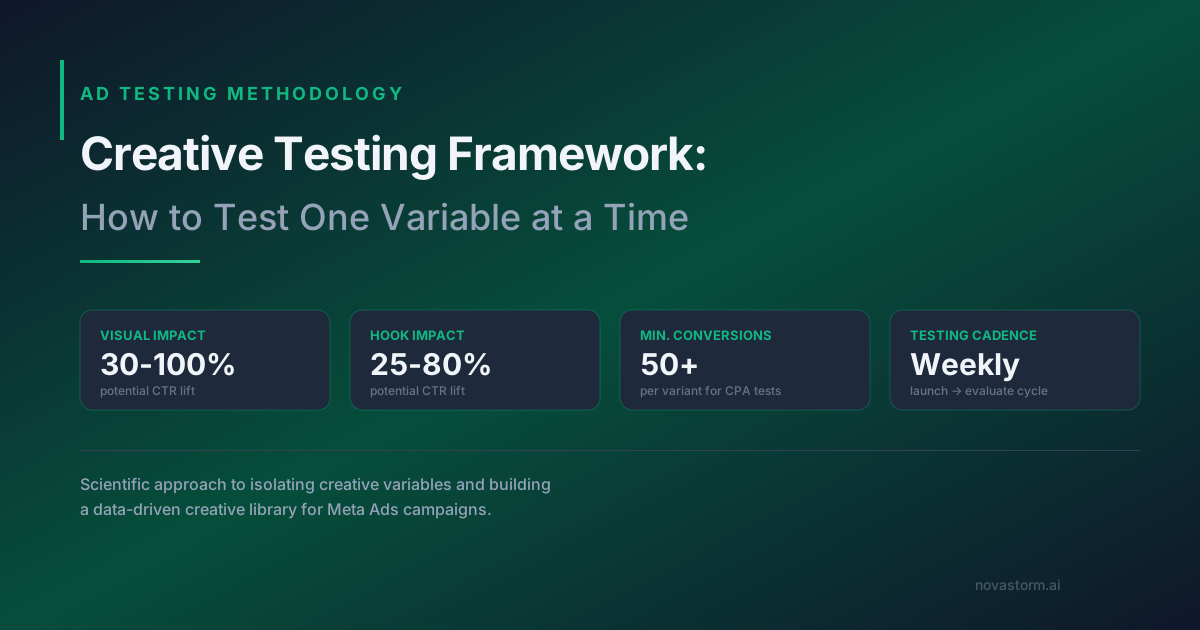
Creative Testing Framework: How to Test One Variable at a Time
Build a scientific creative testing framework for Meta Ads. Learn to isolate variables, reach statistical significance, and build a winning creative library.
The Psychology of Color in Meta Ad Creative
Explore the psychology of color in Meta Ad creative. Learn how color associations, contrast, CTA button colors, and cultural meanings impact ad performance.
Negative Signals: Teaching the Algorithm What to Avoid
Understand how negative signals affect your Meta Ads performance. Learn how hiding ads, negative reactions, and poor quality scores impact delivery and what to do about it.