Attribution Windows Explained: 1-Day Click vs 7-Day Click
Understand attribution windows in Meta Ads. Compare 1-day click vs 7-day click, learn how iOS 14.5 changed attribution, and choose the right window for your campaigns.
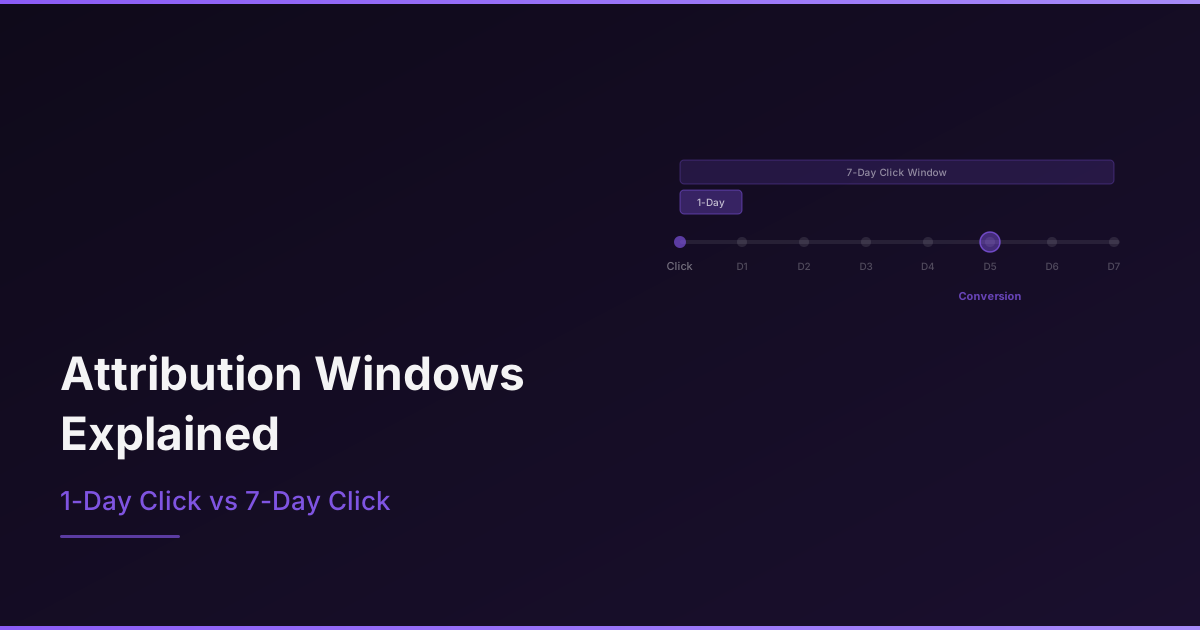
Attribution windows determine how Meta counts conversions. When someone sees or clicks your ad and then makes a purchase, the attribution window defines how long after that interaction the sale gets credited to your ad. Getting attribution windows explained properly is critical because the window you choose directly affects how your campaigns appear to perform, which in turn affects every optimization decision you make.
What Is Attribution in Meta Ads?
Attribution is the process of assigning credit for a conversion to a specific ad, ad set, or campaign. When a user converts after interacting with your ad, Meta attributes that conversion to the ad based on the attribution window you have set.
The key question attribution answers is: did this ad cause this conversion? The answer depends on what counts as an interaction (click vs view), how much time has passed since the interaction, and whether other touchpoints occurred in between.
Click vs View Attribution Windows Explained
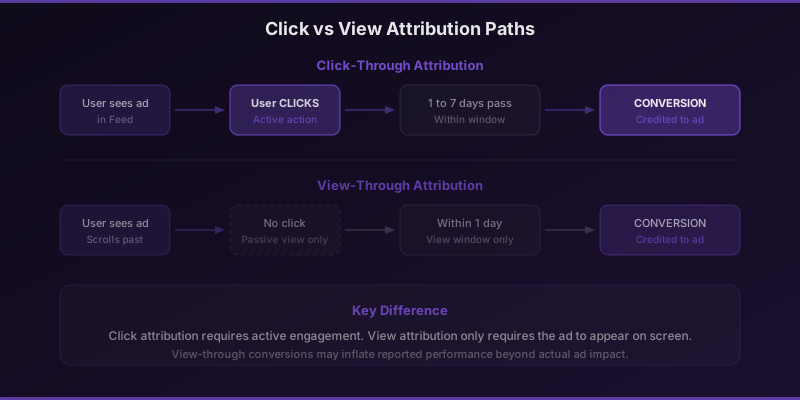
Meta tracks two types of interactions: clicks and views. Click attribution means the user actively clicked on your ad before converting. View attribution, also called view-through attribution, means the user saw your ad but did not click, and then converted later on their own.
Click attribution is generally considered more reliable because it implies active engagement. The user took a deliberate action. View attribution is more controversial because the user may have converted regardless of seeing the ad. They might have already been planning to buy.
Attribution Window Options in Meta Ads
Meta offers several attribution window configurations. The window you select determines the maximum time between ad interaction and conversion for that conversion to be credited to the ad.
| Window Setting | Click Window | View Window | Best For |
|---|---|---|---|
| 1-day click | 1 day | None | Conservative tracking, low-consideration products |
| 7-day click | 7 days | None | Default for most campaigns |
| 1-day click, 1-day view | 1 day | 1 day | High-volume impulse purchases |
| 7-day click, 1-day view | 7 days | 1 day | Most e-commerce, standard default |
The default and most commonly used window is 7-day click, 1-day view. This means a conversion is attributed to an ad if the user clicked within the last 7 days or viewed within the last 1 day before converting.
How iOS 14.5 Changed Attribution
Apple's App Tracking Transparency framework, introduced with iOS 14.5 in 2021, fundamentally changed how attribution works for Meta Ads. Users who opt out of tracking can no longer be reliably tracked across apps and websites.
Before iOS 14.5, Meta offered 28-day click and 7-day view windows. These were removed. The maximum window is now 7-day click, 1-day view. Additionally, conversions from opted-out users are now modeled (estimated) rather than directly observed, which introduces some imprecision into reporting.
Meta's modeling has improved significantly since 2021 and now captures a large percentage of conversions that would otherwise be missed. However, the data is still estimated, not exact. Always cross-reference Meta's reported conversions with your actual sales data.
Stop wasting ad budget
NovaStorm AI cuts Meta Ads CPA by 40% on average. Start free.
Choosing the Right Attribution Window
The right window depends on your product, sales cycle, and how conservatively you want to measure performance.
Use 7-Day Click, 1-Day View When:
- You sell products that involve consideration (clothing, electronics, software)
- Your average time from first click to purchase is more than 24 hours
- You want Meta's algorithm to have the most data for optimization
- You are running standard e-commerce or lead generation campaigns
Use 1-Day Click When:
- You want the most conservative measurement of ad impact
- Your product is impulse-driven with very short purchase cycles
- You are comparing Meta to other channels and need consistent windows
- You suspect Meta is over-attributing conversions to your ads
Comparing Windows: The Same Data Looks Different
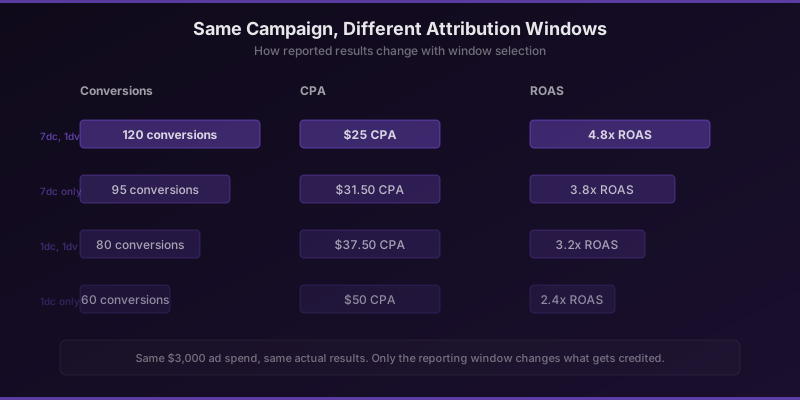
One of the most important things to understand is that changing your attribution window does not change actual performance. It only changes what gets reported. The same campaign with the same results will show different numbers depending on which window you select.
For example, a campaign might report 100 conversions under 7-day click, 1-day view, but only 60 under 1-day click. The extra 40 conversions came from people who clicked between day 2 and day 7, or who only viewed the ad. Those conversions happened either way. The question is whether you want to credit the ad for them.
When switching attribution windows, always compare the old window's data alongside the new one for at least 2 weeks. This gives you a translation factor between windows so you can adjust your ROAS and CPA targets accordingly.
Over-Attribution Risks
Wider attribution windows increase the risk of over-attribution, where conversions are credited to ads that did not actually influence the purchase decision. View-through attribution is the biggest culprit. If someone sees your ad in their feed for half a second while scrolling and then buys from a Google search two hours later, Meta claims that sale.
To mitigate over-attribution, compare Meta-reported ROAS to your actual blended ROAS. If Meta says you got a 5x ROAS but your total revenue divided by total ad spend only shows 2x, the gap is likely over-attribution. Use this gap to calibrate your expectations and set realistic ROAS targets within the platform.
Attribution is not about finding the perfect window. It is about choosing a consistent window, understanding its limitations, and making decisions relative to your own historical benchmarks rather than absolute numbers.
Novastorm AI automates Meta Ads routine — from monitoring to optimization. Learn more at novastorm.ai
Disclaimer: This article was generated with the assistance of AI and reviewed by the NovaStorm AI team. While we strive for accuracy, we recommend verifying specific data points and consulting official sources (linked where available) for critical business decisions.
Ready to automate your Meta Ads?
NovaStorm AI takes full responsibility for your campaigns — from monitoring to optimization.
Get Started FreeRelated Articles

Marketing Mix Modeling for Meta Ads: Beyond Last-Click Attribution
Discover how marketing mix modeling for Meta Ads reveals true channel impact beyond last-click attribution. Learn MMM methodology, implementation steps, and optimization strategies.
Cross-Platform Retargeting: Meta + Google Unified Strategy
Build a unified cross-platform retargeting strategy combining Meta and Google Ads. Learn audience sync, sequential messaging, attribution, and budget allocation across platforms.
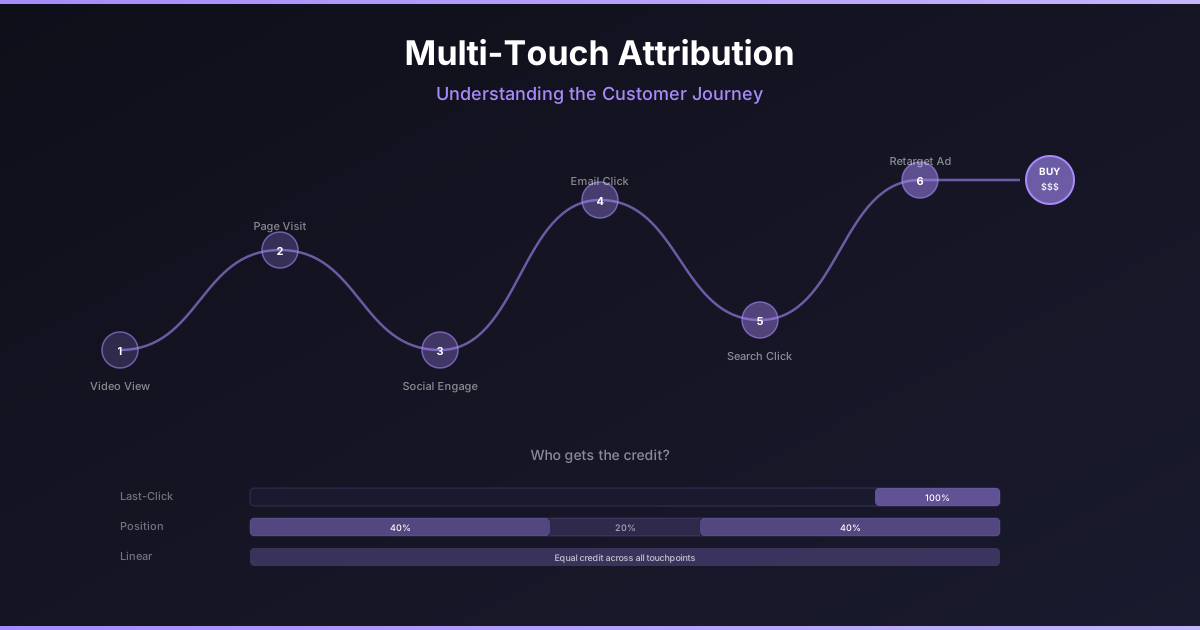
Multi-Touch Attribution: Understanding the Customer Journey in Meta Ads
Move beyond last-click attribution. Learn how multi-touch attribution models reveal the true impact of your Meta Ads across the entire customer journey.