When to Increase Meta Ads Budget: Signals That Say Scale Now
Know exactly when to increase your Meta Ads budget. Learn the 7 key signals that indicate your campaigns are ready to scale spending profitably.
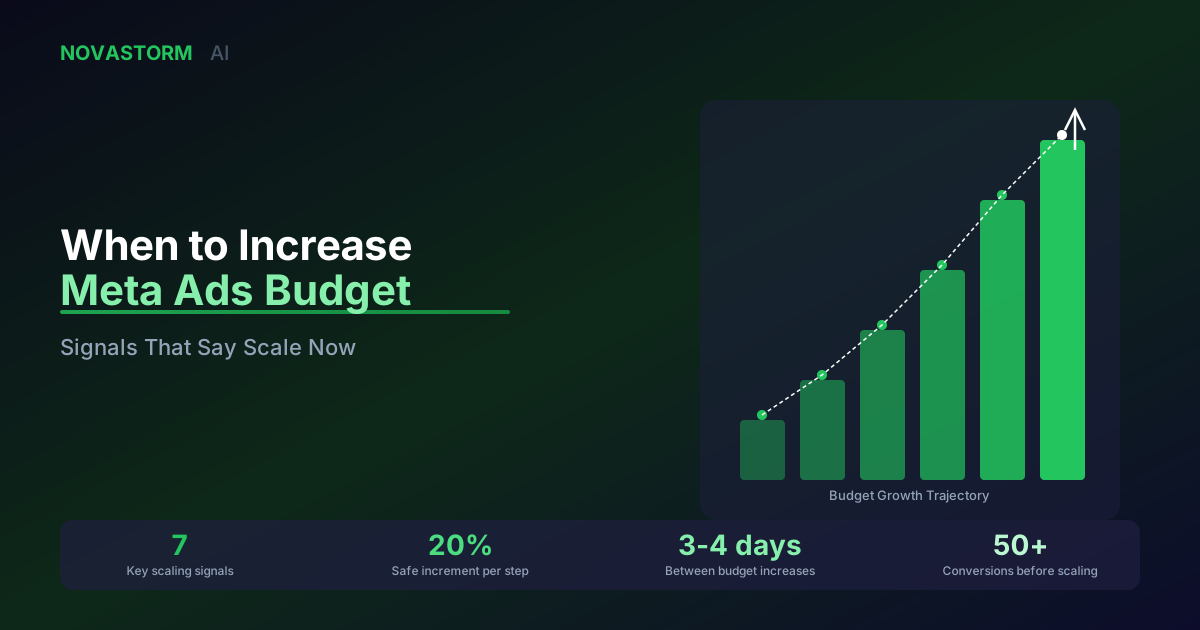
Knowing when to increase your Meta Ads budget is just as important as knowing how much to spend. Scale too early and you burn cash on unoptimized campaigns. Scale too late and you leave revenue on the table while competitors capture your audience. The difference between the two comes down to reading the right signals.
This guide covers the seven concrete signals that tell you it is time to increase your Meta Ads budget. Each signal includes the specific metric thresholds to watch and the scaling approach that preserves performance while growing spend.
Signal 1: Consistent ROAS Above Target for 7+ Days
The most reliable signal to increase your Meta Ads budget is sustained ROAS above your break-even threshold. A single good day is noise. Seven consecutive days of above-target ROAS is a signal. The key word is consistent.
Check that your ROAS has been above target for at least 7 days with no single day dropping below 80% of your target. This consistency indicates the algorithm has found a stable audience and creative combination worth scaling.
The 7-day consistency rule filters out attribution spikes and weekend anomalies that create false confidence. Only increase Meta Ads budget when the trend is real.
Signal 2: Learning Phase Completed With Strong Results
Meta's learning phase requires approximately 50 conversion events per week per ad set. Once a campaign exits the learning phase with metrics that meet or exceed your targets, that is a green light to increase your Meta Ads budget.
| Learning Phase Status | CPA vs Target | Action |
|---|---|---|
| Active (still learning) | Any | Do not increase budget — wait |
| Completed | CPA above target | Optimize before scaling |
| Completed | CPA at target | Cautious 15-20% increase |
| Completed | CPA below target | Confident 20-30% increase |
| Limited learning | Any | Consolidate ad sets first |
Scaling during the learning phase resets it, wasting the data Meta has already collected. Always wait for completion before making any budget changes.
Signal 3: Budget Constrained Delivery
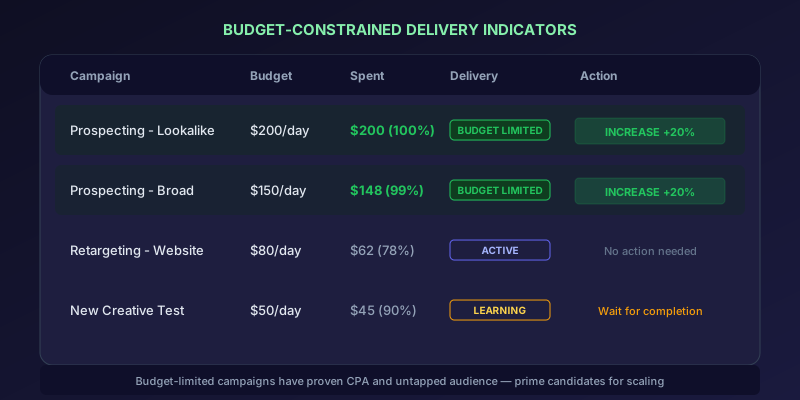
If Meta shows your campaign is budget constrained or your daily spend is hitting the cap consistently before the end of the day, your budget is actively limiting performance. This is one of the clearest signals to increase your Meta Ads budget.
- Campaign consistently spends 95-100% of daily budget by early afternoon
- Meta's delivery column shows 'Budget Limited' status
- Estimated daily results show room to grow at current CPA
- Auction overlap is low, meaning there is untapped audience
When delivery is budget-constrained, Meta cannot fully explore the available audience. You are leaving conversions on the table at your current CPA. Increase budget by 20-30% and monitor for 3-4 days.
Signal 4: Declining CPA Over Two Weeks
A steadily declining CPA over 14 or more days indicates the algorithm is getting better at finding your ideal customers. This optimization trend means each additional dollar is more efficient than the last, making it an ideal time to increase your Meta Ads budget.
Plot your daily CPA for the last 14 days. If the trend line is clearly downward and your current CPA is 20% or more below target, you have significant headroom to scale. Increase budget in 20% increments every 3-4 days.
Stop wasting ad budget
NovaStorm AI cuts Meta Ads CPA by 40% on average. Start free.
Signal 5: Strong Creative Performance Metrics
Before you increase your Meta Ads budget, verify that your creative is performing well. Scaling mediocre creative just amplifies mediocrity. Look for these benchmarks:
| Metric | Strong Performance | Needs Work |
|---|---|---|
| CTR (link clicks) | Above 1.5% | Below 0.8% |
| Thumbstop Rate | Above 25% | Below 15% |
| Hook Rate (3s video views) | Above 30% | Below 20% |
| Outbound CTR | Above 1% | Below 0.5% |
| Frequency (7-day) | Below 2.5 | Above 4 |
Scaling with weak creative is the fastest way to burn budget. Fix CTR and engagement metrics before adding spend.
Signal 6: Audience Headroom Confirmed
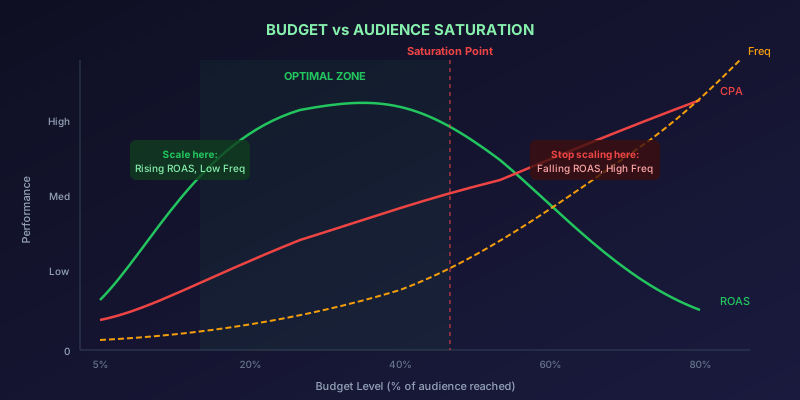
Even if metrics look great, you can only increase your Meta Ads budget if there is audience left to reach. Check your audience saturation indicators before scaling.
- Estimated audience size in Ads Manager is 5x or more your current reach
- Frequency is below 2 for prospecting campaigns
- Reach is still growing week over week
- CPM is stable or declining (not spiking from auction competition)
- New audiences can be tested to add fresh reach pools
If your audience is large and frequency is low, there is room to scale. If your audience is small and frequency is climbing, adding budget will only increase frequency and ad fatigue without proportional conversions.
Signal 7: Competitor Activity Creates Opportunity
Sometimes the signal to increase your Meta Ads budget comes from outside your account. If a major competitor pulls back spending, CPMs drop and auction dynamics shift in your favor. Similarly, if a new product launch or seasonal event creates surging demand, increased budget captures the wave.
- Industry CPMs dropping unexpectedly (competitors pulling back)
- Seasonal demand surge approaching (Black Friday, holidays)
- Competitor going out of stock or pausing campaigns
- New product launch driving organic interest you can amplify
How to Scale Without Breaking Performance
Even when all signals say go, how you increase your Meta Ads budget matters as much as when. Follow these scaling rules to preserve campaign optimization:
| Scaling Method | Budget Change | Risk Level | Best For |
|---|---|---|---|
| Gradual increase | +20% every 3-4 days | Low | Proven campaigns with stable CPA |
| Duplicate and scale | New ad set with higher budget | Medium | Testing if higher spend holds CPA |
| CBO migration | Campaign Budget Optimization | Medium | Multiple ad sets with varied performance |
| Aggressive scale | +50-100% at once | High | Time-sensitive opportunities only |
The safest scaling method is the 20% rule: increase budget by no more than 20% every 3-4 days. This gives the algorithm time to readjust delivery without resetting the learning phase.
Scaling is not a one-time decision. It is a continuous process of reading signals, making incremental increases, and monitoring the impact. The advertisers who grow fastest are the ones who increase their Meta Ads budget precisely when the data supports it, not when impatience drives the decision.
Novastorm AI automates Meta Ads routine — from monitoring to optimization. Learn more at novastorm.ai
Disclaimer: This article was generated with the assistance of AI and reviewed by the NovaStorm AI team. While we strive for accuracy, we recommend verifying specific data points and consulting official sources (linked where available) for critical business decisions.
Ready to automate your Meta Ads?
NovaStorm AI takes full responsibility for your campaigns — from monitoring to optimization.
Get Started FreeRelated Articles
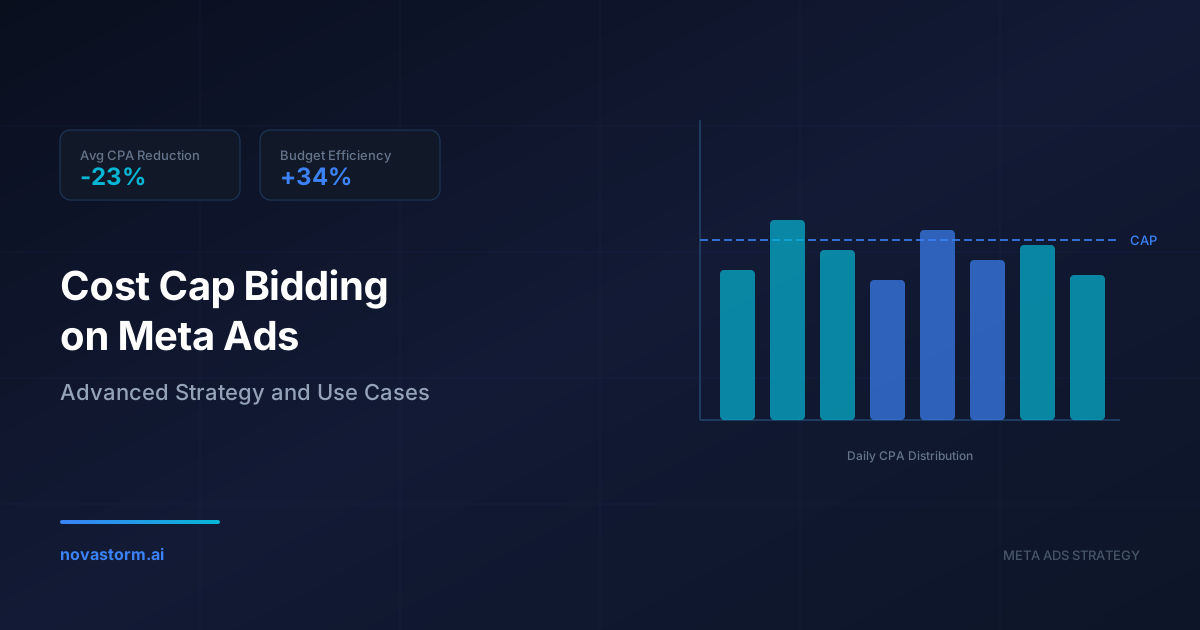
Cost Cap Bidding on Meta Ads: Advanced Strategy and Use Cases
Master cost cap bidding on Meta Ads with advanced strategies, real-world use cases, and optimization techniques to control CPA while maximizing conversions.
Traffic Campaigns on Meta: When to Optimize for Link Clicks
Learn when traffic campaigns on Meta are the right choice, how to optimize for link clicks vs landing page views, and avoid common pitfalls that waste budget.
Summer Sale Campaigns on Meta: Beating the Seasonal Slump
Overcome the summer advertising slump with Meta Ads strategies that maintain 2.4x ROAS. Proven tactics for June-August campaigns when engagement typically drops.