Meta Marketing API: Automating Campaign Management at Scale
Learn how to use the Meta Marketing API to automate campaign management at scale. Covers authentication, bulk operations, and real-world automation patterns.
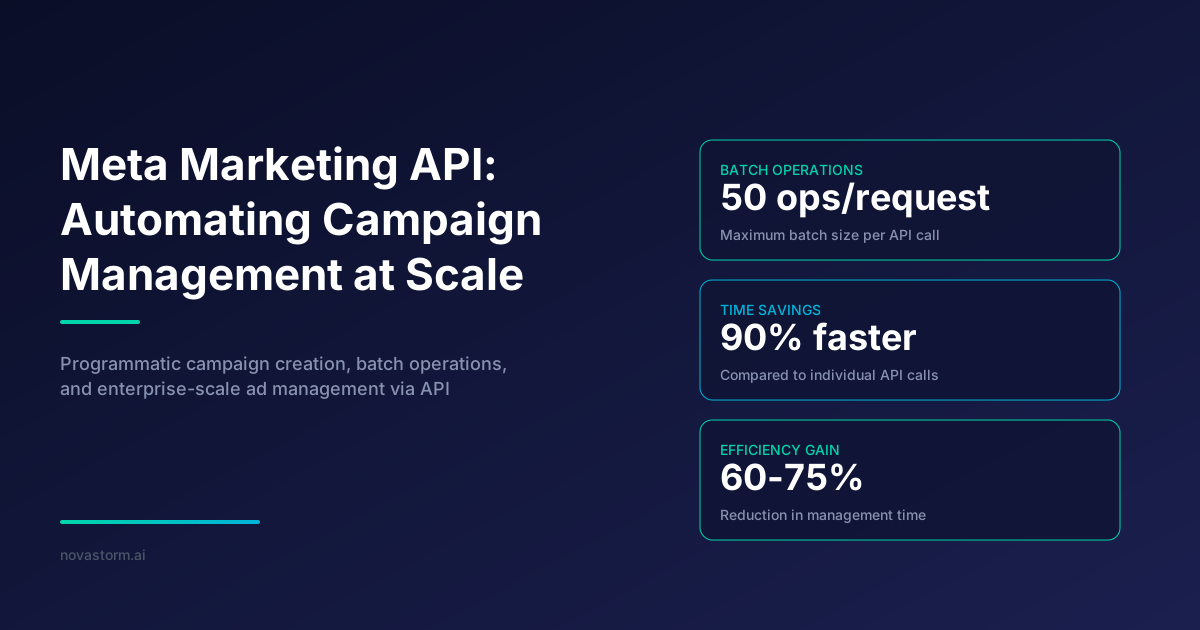
The Meta Marketing API has become the backbone of programmatic advertising for businesses managing hundreds or thousands of ad campaigns simultaneously. Whether you are running performance marketing for an e-commerce brand or managing client portfolios at an agency, understanding how to leverage this API transforms your ability to operate at scale while maintaining granular control over every campaign parameter.
Manual campaign management through Ads Manager becomes impractical once you exceed a few dozen active campaigns. The Meta Marketing API solves this by providing a programmatic interface to create, update, monitor, and optimize campaigns without touching the UI. In this guide, we break down the architecture, authentication flow, and practical automation patterns that power enterprise-level ad operations.
Understanding the Meta Marketing API Architecture
The Meta Marketing API is built on the Graph API, which represents all objects in the Meta ecosystem as nodes connected by edges. For advertising, the primary hierarchy follows a strict structure: Ad Account, Campaign, Ad Set, and Ad. Each level inherits settings from its parent while adding its own configuration.
API requests follow RESTful conventions using HTTP methods. A GET request retrieves object data, POST creates or updates objects, and DELETE removes them. Every object has a unique ID, and you navigate relationships using edge names appended to the object endpoint.
| API Object | Purpose | Key Fields | Parent Object |
|---|---|---|---|
| Campaign | Top-level objective container | objective, status, budget | Ad Account |
| Ad Set | Targeting and scheduling | targeting, bid, schedule | Campaign |
| Ad | Creative and delivery | creative, tracking_specs | Ad Set |
| Ad Creative | Visual and copy assets | image_hash, body, title | Ad Account |
Authentication and Access Token Management
Before making any API call, you need a valid access token with the appropriate permissions. Meta uses OAuth 2.0 for authentication, and the token type determines what you can access. Short-lived tokens expire in about an hour, making them unsuitable for automated systems.
For production automation, you need a System User token generated through the Business Manager. These tokens do not expire and are tied to the business rather than an individual user. This eliminates the need for token refresh logic and provides stable, long-running access.
Never store access tokens in client-side code or public repositories. Use environment variables or a secrets manager. A compromised token gives full access to your ad accounts and spending capabilities.
Automating Campaign Creation with the Meta Marketing API
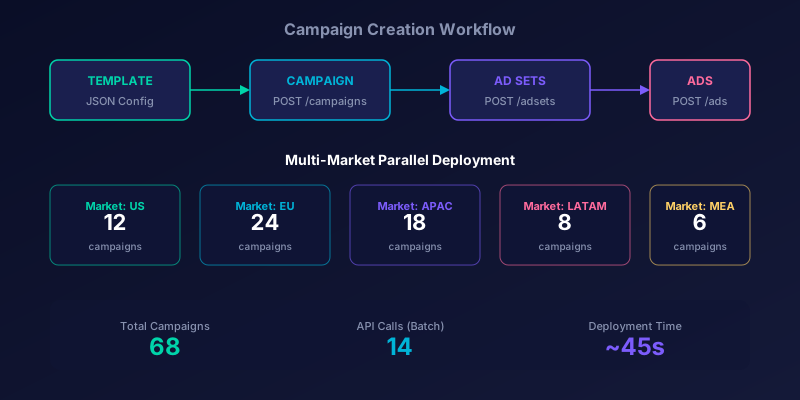
Programmatic campaign creation follows the same hierarchy as manual creation, but you define each object through API calls. Start by creating the campaign with an objective, then attach ad sets with targeting parameters, and finally link ads with creatives.
The real power emerges when you templatize this process. By defining campaign templates as JSON configurations, you can spin up identical campaign structures across multiple ad accounts or markets in seconds. A single script can launch localized campaigns in 30 countries simultaneously.
- Define campaign template with objective, budget type, and naming convention
- Create campaign object and capture the returned campaign ID
- Generate ad sets with targeting specs, bidding strategy, and schedule
- Upload creative assets and create ad creative objects
- Link creatives to ads within each ad set
- Set campaign status to ACTIVE to begin delivery
Bulk Operations and Batch Processing
When managing campaigns at scale, individual API calls become a bottleneck. The Batch API allows you to bundle up to 50 operations into a single HTTP request, dramatically reducing latency and improving throughput. Each operation in the batch is independent, meaning one failure does not affect the others.
Batch requests are especially valuable for budget updates, status changes, and bid adjustments across large campaign portfolios. Instead of making 500 individual calls to pause 500 ad sets, you can accomplish the same with just 10 batch requests.
Stop wasting ad budget
NovaStorm AI cuts Meta Ads CPA by 40% on average. Start free.
| Operation Type | Individual Calls | Batch Calls | Time Saved |
|---|---|---|---|
| Pause 500 ad sets | 500 requests | 10 batch requests | ~90% |
| Update 200 budgets | 200 requests | 4 batch requests | ~85% |
| Fetch 1000 insights | 1000 requests | 20 batch requests | ~88% |
| Create 100 ads | 300+ requests | 6-8 batch requests | ~92% |
Reading Campaign Performance Data
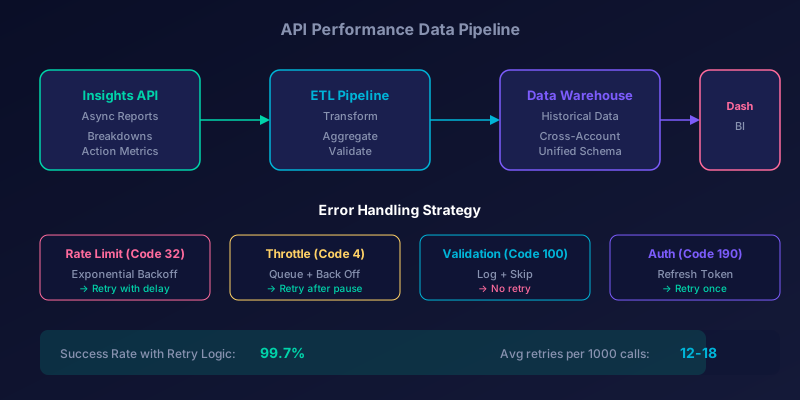
The Insights API is your gateway to performance data. It supports synchronous requests for small datasets and asynchronous report generation for large queries spanning multiple accounts or long date ranges. Async reports return a report run ID that you poll until the data is ready.
You can break down performance data by time period, demographic, placement, device, and dozens of other dimensions. Combining breakdowns with action-level metrics gives you granular visibility into exactly where your budget delivers results.
Use the date_preset parameter for common date ranges like 'last_7d' or 'last_30d' instead of specifying exact dates. This simplifies recurring report generation and avoids timezone-related date calculation errors.
Error Handling and Retry Strategies
Robust error handling separates production-grade integrations from fragile scripts. The API returns structured error responses with error codes, subcodes, and human-readable messages. Categorize errors into transient (retry-worthy) and permanent (requires intervention) types.
Implement exponential backoff for rate limit errors (code 32) and throttling responses (code 4). Start with a one-second delay and double it on each retry, capping at 60 seconds. For validation errors (code 100), log the details and skip the operation since retrying will produce the same failure.
- Code 4: Application-level throttling, back off and retry
- Code 17: User-level rate limit, wait before retrying
- Code 32: API rate limit reached, implement exponential backoff
- Code 100: Invalid parameter, fix the request payload
- Code 190: Invalid or expired access token, refresh and retry
- Code 2635: Account-level spending limit reached, no retry
Scaling Your Automation Infrastructure
As your operation grows, your automation infrastructure must evolve beyond simple scripts. Implement a job queue system that manages API calls, respects rate limits, and handles failures gracefully. Tools like Redis-backed queues or cloud-native message services provide the reliability needed for production workloads.
Separate your system into distinct layers: a scheduling layer that determines what needs to happen, a queue that manages execution order, and workers that make the actual API calls. This architecture allows you to scale horizontally by adding more workers during peak periods.
Sources & Further Reading: Meta for Developers — Marketing API Documentation — complete official API reference. Meta for Developers — Batch Requests — official guide to batch processing. Meta for Developers — Insights API — reading campaign performance data.
Organizations using automated Meta Marketing API pipelines report 60-75% reduction in campaign management time and 15-25% improvement in budget efficiency due to faster optimization cycles. The initial engineering investment typically pays for itself within two quarters.
Building a scalable Meta Marketing API integration is not a weekend project, but the operational leverage it provides is transformative. Start with a single use case, whether that is automated reporting, bulk budget management, or campaign creation, and expand from there. Each automated workflow frees your team to focus on strategy rather than execution.
Novastorm AI automates Meta Ads routine — from monitoring to optimization. Learn more at novastorm.ai
Disclaimer: This article was generated with the assistance of AI and reviewed by the NovaStorm AI team. While we strive for accuracy, we recommend verifying specific data points and consulting official sources (linked where available) for critical business decisions.
Ready to automate your Meta Ads?
NovaStorm AI takes full responsibility for your campaigns — from monitoring to optimization.
Get Started FreeRelated Articles
Meta Advantage+ Suite Deep Dive: Every Automation Feature Explained
Complete Meta Advantage+ suite breakdown covering all 8 automation features. Learn which Advantage+ tools deliver results and which ones to skip in 2026.
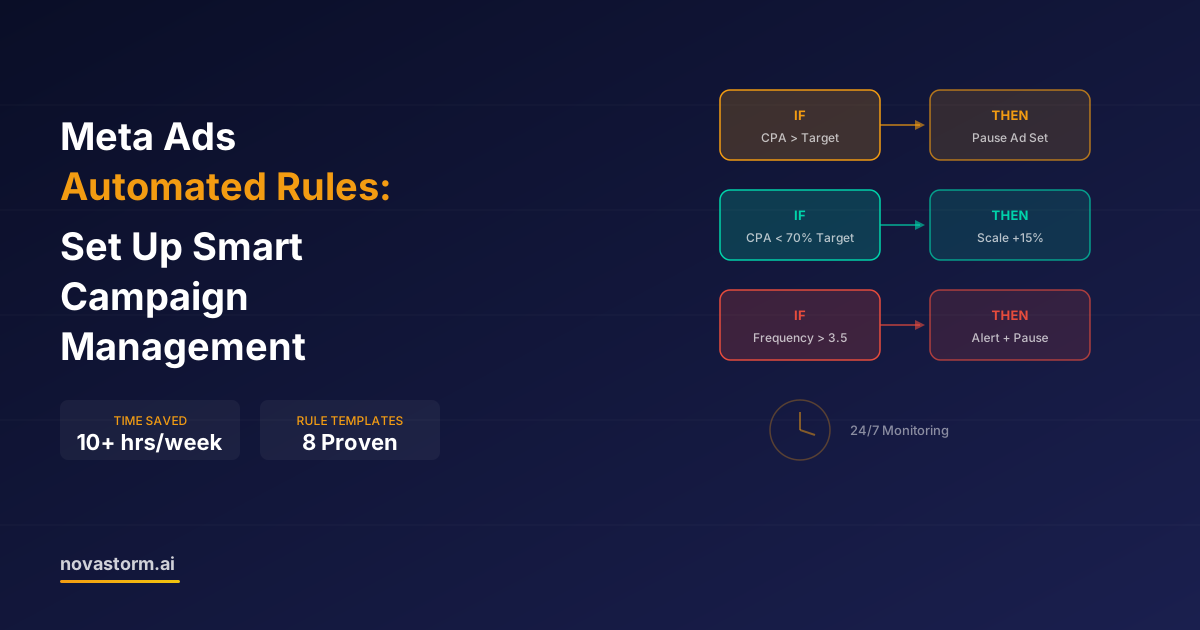
Meta Ads Automated Rules: Set Up Smart Campaign Management
Master Meta Ads automated rules to manage campaigns 24/7. Step-by-step setup guide with 8 proven rule templates that save 10+ hours per week.

AI Automation vs Manual Meta Ads Management: Which Approach Wins?
Comparing AI-automated Meta Ads management against manual approaches. See where automation excels, where human oversight matters, and how to combine both.