Meta Ads Automated Rules: Set Up Smart Campaign Management
Master Meta Ads automated rules to manage campaigns 24/7. Step-by-step setup guide with 8 proven rule templates that save 10+ hours per week.
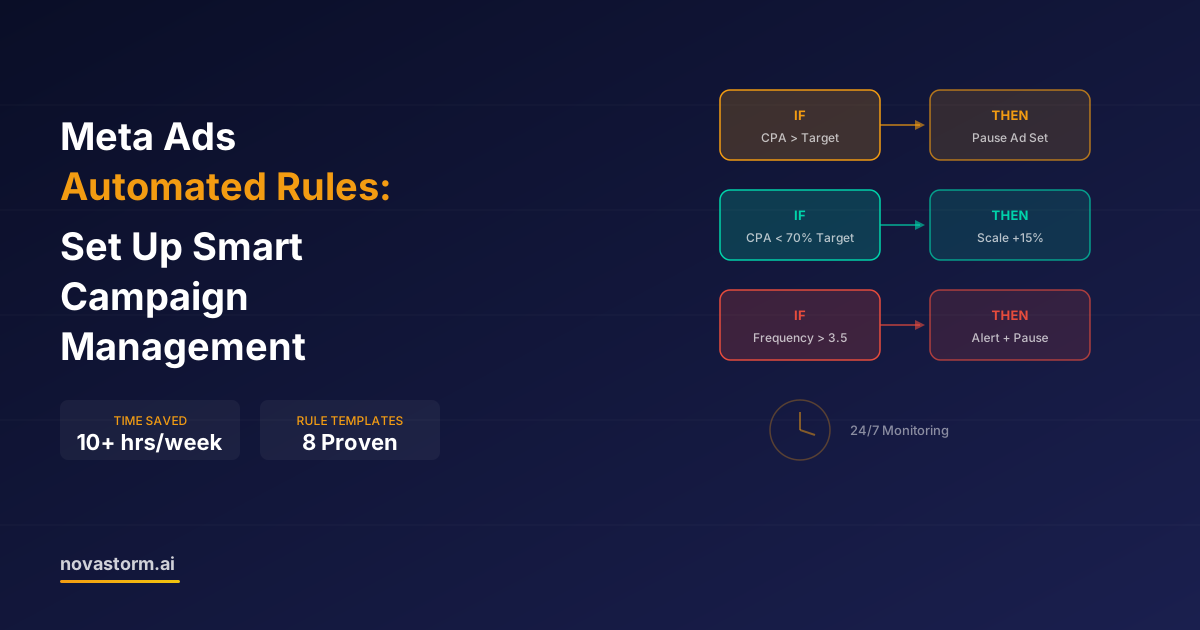
Meta Ads automated rules are the closest thing to having a campaign manager who never sleeps. These built-in automation tools let you set conditions and actions that execute automatically, saving you from the constant manual monitoring that eats up hours every week. Yet most advertisers either ignore them completely or set them up incorrectly.
Properly configured Meta Ads automated rules can save you 10-15 hours per week while actually improving campaign performance. They prevent budget waste during off-hours, catch underperforming ads before they drain your budget, and scale winners automatically. Here's exactly how to set them up.
How Meta Ads Automated Rules Work
Automated rules follow a simple IF/THEN logic. You define a condition (IF cost per purchase exceeds $30) and an action (THEN pause the ad set). Meta checks these conditions at intervals you specify and executes the action when conditions are met.
You can create rules at three levels: campaign, ad set, or ad. Each rule consists of four components: the scope (what it applies to), the condition (what triggers it), the action (what happens), and the schedule (how often it checks).
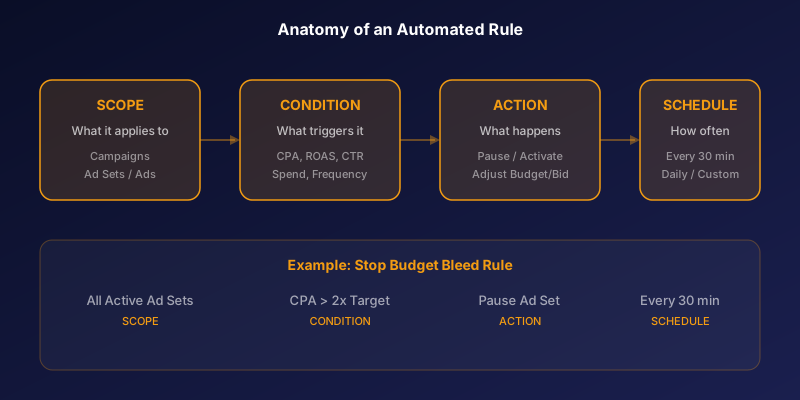
- Actions: Turn on/off, adjust budget (increase/decrease), adjust bid, send notification
- Conditions: Cost per result, CPA, ROAS, spend, impressions, frequency, CTR, CPM
- Time range: Today, yesterday, last 3/7/14/30 days, lifetime
- Schedule: Continuously (every 30 min), daily, custom schedule
8 Essential Meta Ads Automated Rules Templates
After analyzing thousands of accounts, we've identified eight rules that every advertiser should have running. These cover the most critical scenarios that cause budget waste.
| Rule Name | Condition | Action | Check Frequency |
|---|---|---|---|
| Stop Budget Bleed | CPA > 2x target, Spend > $50 | Pause ad set | Every 30 min |
| Scale Winners | CPA < 70% target, 7-day window | Increase budget 15% | Daily |
| Creative Fatigue Alert | Frequency > 3.5, last 7 days | Send notification | Daily |
| Low CTR Pause | CTR < 0.5%, Impressions > 2000 | Pause ad | Every 30 min |
| Weekend Budget Boost | Day is Sat/Sun, ROAS > 3x | Increase budget 20% | Daily |
| Overspend Protection | Daily spend > 120% of budget | Pause campaign | Every 30 min |
| Reactivate Winners | CPA < target, last 3 days | Turn on ad set | Daily |
| High CPM Alert | CPM > $25, last 3 days | Send notification | Daily |
Start with just the 'Stop Budget Bleed' and 'Scale Winners' rules. These two alone prevent 80% of common budget waste issues. Add more rules as you get comfortable.
Setting Up Your First Automated Rule: Step by Step
Let's walk through setting up the most important rule: the budget bleed stopper. This rule pauses ad sets that are spending money without converting.
- Go to Ads Manager → Select all active ad sets → Click 'Rules' dropdown → 'Create a new rule'
- Rule name: 'Stop Budget Bleed - Pause High CPA'
- Apply rule to: All active ad sets
- Condition 1: Cost per purchase is greater than [2x your target CPA]
- Condition 2: AND Amount spent is greater than [your target CPA amount]
- Action: Turn off ad sets
- Time range: Last 3 days
- Schedule: Continuously
- Notification: Email me when rule runs
Stop wasting ad budget
NovaStorm AI cuts Meta Ads CPA by 40% on average. Start free.
The spend threshold is critical. Without it, the rule might pause ad sets that have spent $5 without a conversion — perfectly normal behavior during the learning phase. The spend threshold ensures only genuinely underperforming ad sets get paused.
Advanced Rule Combinations for Automated Scaling
Individual rules are useful, but combining complementary rules creates a self-managing system. The key is building rule pairs that work together: one to scale up and one to scale down.
| Scale Up Rule | Scale Down Rule | Net Effect |
|---|---|---|
| If CPA < 70% target → +15% budget | If CPA > 130% target → -15% budget | Budget flows to best performers |
| If ROAS > 4x → +20% budget | If ROAS < 2x → -20% budget | Capital allocated by efficiency |
| If CTR > 2% → increase bid 10% | If CTR < 0.8% → decrease bid 10% | Bids match engagement quality |
Always set a maximum budget cap in your scaling rules. Without a ceiling, a compounding 15% daily increase turns a $50 budget into $200+ within two weeks. Add a condition like 'AND daily budget is less than $X'.
Limitations of Built-in Meta Automated Rules
While powerful, Meta's native automated rules have significant limitations that experienced advertisers quickly encounter. Understanding these gaps helps you decide when you need more advanced solutions.
- No cross-campaign logic: Rules can't compare performance between campaigns
- Limited conditions: Can't combine more than a few metrics in complex AND/OR logic
- No time-of-day targeting: Rules can't adjust based on hourly performance patterns
- Minimum 30-minute check interval: Fast-moving promotions may overspend before rules trigger
- No machine learning: Rules are static — they don't learn or adapt to patterns
- Delayed data: Rules use data that can lag 15-30 minutes behind real-time
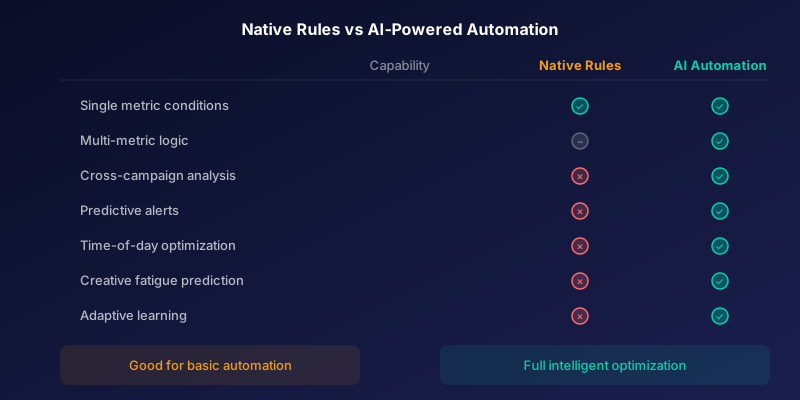
Beyond Basic Rules: AI-Powered Campaign Automation
Native automated rules are a great starting point, but they're fundamentally reactive. They respond to problems after they happen. Modern AI-powered automation tools can predict issues before they occur and make proactive adjustments.
For example, an AI system can detect that your creative engagement is declining three days before frequency exceeds your threshold. It can identify seasonal patterns and preemptively adjust budgets. It can analyze cross-campaign performance to reallocate spend in ways native rules simply cannot.
Novastorm AI goes beyond basic rules with intelligent monitoring that detects performance anomalies, predicts creative fatigue, and provides actionable recommendations — all automatically, around the clock.
Novastorm AI automates Meta Ads routine — from monitoring to optimization. Learn more at novastorm.ai
Disclaimer: This article was generated with the assistance of AI and reviewed by the NovaStorm AI team. While we strive for accuracy, we recommend verifying specific data points and consulting official sources (linked where available) for critical business decisions.
Ready to automate your Meta Ads?
NovaStorm AI takes full responsibility for your campaigns — from monitoring to optimization.
Get Started FreeRelated Articles
Meta Marketing API: Automating Campaign Management at Scale
Learn how to use the Meta Marketing API to automate campaign management at scale. Covers authentication, bulk operations, and real-world automation patterns.
Meta Advantage+ Suite Deep Dive: Every Automation Feature Explained
Complete Meta Advantage+ suite breakdown covering all 8 automation features. Learn which Advantage+ tools deliver results and which ones to skip in 2026.

AI Automation vs Manual Meta Ads Management: Which Approach Wins?
Comparing AI-automated Meta Ads management against manual approaches. See where automation excels, where human oversight matters, and how to combine both.